

When choosing between cloud and local storage, consider your security needs, budget, and scalability. Cloud storage offers easy access, regular updates, and flexible expansion, ideal if you want minimal management and cost predictability. Local storage gives you full control over your data and security, which is better if you handle sensitive information. Understanding these factors helps you select the best option—continue to explore to make an informed decision.
Key Takeaways
- Cloud storage offers scalable, cost-effective solutions with enterprise-level security, ideal for flexible data growth and minimal management.
- Local storage provides direct control over data security and compliance, suitable for sensitive information requiring strict access management.
- Cloud solutions reduce hardware investments and maintenance costs, while local storage may entail higher ongoing expenses and manual management.
- Cloud storage enables easy data access and management through integrated tools, whereas local storage requires manual backups and updates.
- Choose cloud for scalability and convenience; opt for local storage when control and security of sensitive data are top priorities.
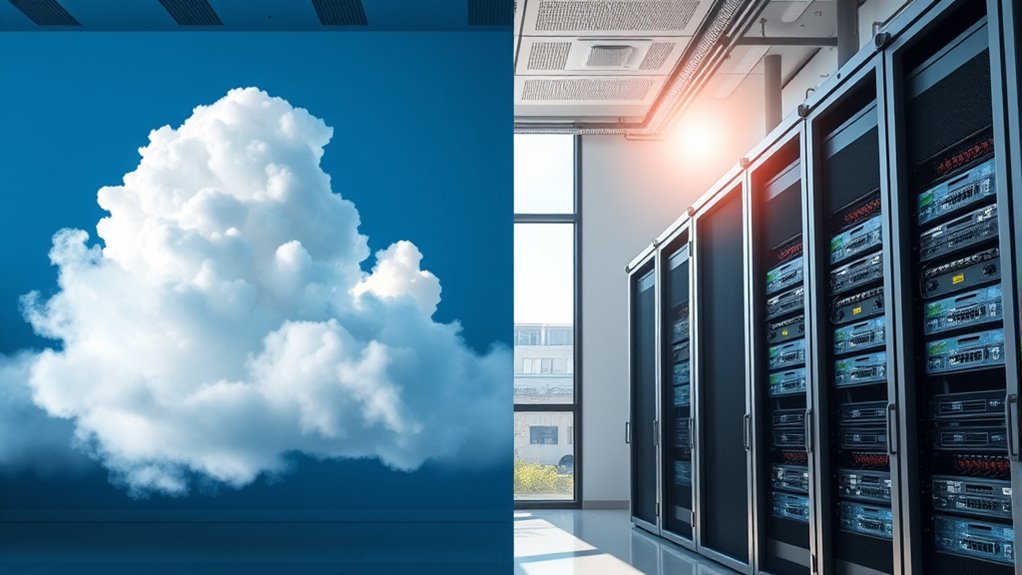
When choosing between cloud and local storage, understanding their differences is essential to meet your data management needs. You need to consider how each option impacts your data security and cost efficiency, as these are vital factors in making the right choice. Cloud storage offers robust security features, often with encryption, regular backups, and continuous updates that protect your data from threats like hacking or hardware failure. Since cloud providers invest heavily in security infrastructure, you benefit from enterprise-level protections that might be too expensive or complex to implement on your own with local storage. This means you can focus on your core tasks, knowing your data is safeguarded without having to manage security protocols yourself.
On the other hand, local storage gives you direct control over your data security. You decide how and where your data is stored, which can be advantageous if you work with sensitive information or have strict compliance requirements. However, it also means you’ll need to invest in securing your hardware, applying updates, and managing backups. This can become costly and time-consuming, especially if you lack dedicated IT resources. When it comes to cost efficiency, cloud storage often turns out to be more affordable upfront because you avoid hefty hardware investments and ongoing maintenance costs. Instead, you typically pay a predictable monthly fee based on your storage needs, which scales easily as your data grows. This pay-as-you-go model makes budgeting simpler and reduces the risk of overspending on unused capacity.
Conversely, local storage might seem cheaper initially, especially if you already own the hardware, but hidden costs quickly add up. Maintenance, power consumption, hardware upgrades, and potential data loss from hardware failure can make it more expensive over time. Plus, with local storage, you’ll need to invest in physical security measures—like locks, surveillance, and fire protection—to keep your data safe from theft or damage. Cloud storage’s scalability is another advantage: you can increase or decrease your storage capacity without buying new equipment, making it more flexible and cost-efficient for fluctuating data needs. Additionally, data management becomes easier with cloud solutions, as many providers offer integrated tools to streamline organization and access.
Ultimately, your choice hinges on balancing these factors. If data security is your priority and you prefer minimal management, cloud storage provides a secure, scalable, and cost-effective solution. If you want complete control over your data and are prepared to handle security and maintenance yourself, local storage might suit your needs better. Carefully evaluate your security requirements, budget constraints, and growth forecasts to determine which option aligns best with your data management strategy.

Seagate Portable 2TB External Hard Drive HDD — USB 3.0 for PC, Mac, PlayStation, & Xbox -1-Year Rescue Service (STGX2000400)
Easily store and access 2TB to content on the go with the Seagate Portable Drive, a USB external…
As an affiliate, we earn on qualifying purchases.
As an affiliate, we earn on qualifying purchases.
Frequently Asked Questions
How Does Cost Compare Over Time for Cloud Versus Local Storage?
Over time, cloud storage often becomes more cost-efficient due to lower initial investments and scalable plans, reducing long-term expenses. You save on hardware, maintenance, and energy costs with cloud options, but monthly fees can add up. Local storage may have higher upfront costs for equipment and ongoing maintenance, but it can be cheaper in the long run if you manage large data sets internally. Consider your data needs to choose the most cost-effective solution.
What Are the Security Risks Associated With Each Storage Option?
You face security risks with both options. Cloud storage can expose you to encryption vulnerabilities if your provider’s security isn’t strong, risking data breaches. Local storage risks include physical theft or damage, which could lead to data loss. Always guarantee proper encryption for cloud data and safeguard physical devices with locks or alarms. Regular security audits help you detect vulnerabilities early, regardless of your storage choice.
How Scalable Is Each Storage Solution for Business Growth?
Think of cloud storage as an expandable balloon—you can easily increase capacity to match your business growth, making data migration seamless and maintaining user accessibility. Local storage, however, is like a fixed container—you’ll need to invest in new hardware as you expand, which can become costly and complex. Cloud solutions offer more flexibility, ensuring your storage scales smoothly without disrupting your operations or accessibility.
What Are the Maintenance Requirements for Local Storage Systems?
You need to handle hardware upkeep and software updates regularly for local storage systems. This means checking drives for wear, replacing faulty hardware, and ensuring cooling systems work properly. You also must install software updates to patch security vulnerabilities and improve performance. Staying on top of maintenance helps prevent data loss and extends your storage system’s lifespan, but it requires ongoing effort and technical knowledge to keep everything running smoothly.
How Does Data Recovery Differ Between Cloud and Local Storage?
You’ll find that data recovery in cloud storage is faster and more streamlined because providers handle backups automatically and guarantee data encryption for security. With local storage, you need to manually perform backups more frequently and manage recovery processes yourself, which can be time-consuming. Cloud services often offer backup frequency options that improve recovery speed, whereas local storage relies heavily on your maintenance efforts for effective data retrieval.

Mastering Microsoft OneDrive: A Complete Beginner’s Guide to Cloud Storage, Collaboration, and File Management
As an affiliate, we earn on qualifying purchases.
As an affiliate, we earn on qualifying purchases.
Conclusion
Ultimately, the choice between cloud and local storage isn’t just about today’s needs—it’s about anticipating tomorrow’s challenges. Will your data stay safe and accessible as your business grows, or will hidden risks catch you off guard? The decision you make now could shape your future in ways you haven’t yet imagined. So, ask yourself: are you ready to trust the familiar, or willing to explore what’s truly possible? The next step could change everything.

UGREEN NAS DH2300 2-Bay Desktop NASync, Support Capacity 64TB (Diskless), Remote Access, AI Photo Album, Beginner Friendly System, 4GB RAM on Board,1GbE, 4K HDMI, Network Attached Storage(Diskless)
Entry-level NAS Personal Storage:UGREEN NAS DH2300 is your first and best NAS made easy. It is designed for…
As an affiliate, we earn on qualifying purchases.
As an affiliate, we earn on qualifying purchases.

SANDISK 2TB Extreme Portable SSD – Up to 1050MB/s, USB-C, USB 3.2 Gen 2, IP65 Water and Dust Resistance, Updated Firmware – External Solid State Drive – SDSSDE61-2T00-G25
Get NVMe solid state performance with up to 1050MB/s read and 1000MB/s write speeds in a portable, high-capacity…
As an affiliate, we earn on qualifying purchases.
As an affiliate, we earn on qualifying purchases.