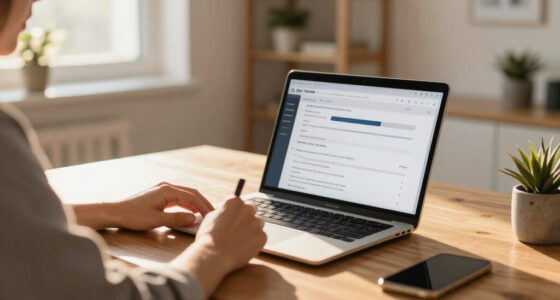
Real-time collaboration features for document editing let you work simultaneously with others, making editing faster and more efficient. You can see who’s active, track changes automatically, and revert to previous versions if needed. Visual cues like colored cursors help avoid conflicts, while instant updates keep everyone on the same page. These tools improve team productivity and clarity. Keep exploring to discover how these features can transform your workflow even further.
Key Takeaways
- Enables instant communication and simultaneous editing among team members.
- Tracks document versions automatically, allowing easy review and reversion.
- Shows active users with visual indicators like colored cursors for coordinated editing.
- Reduces conflicts and mistakes, improving overall editing efficiency.
- Enhances visibility of activities, boosting team productivity and collaboration clarity.
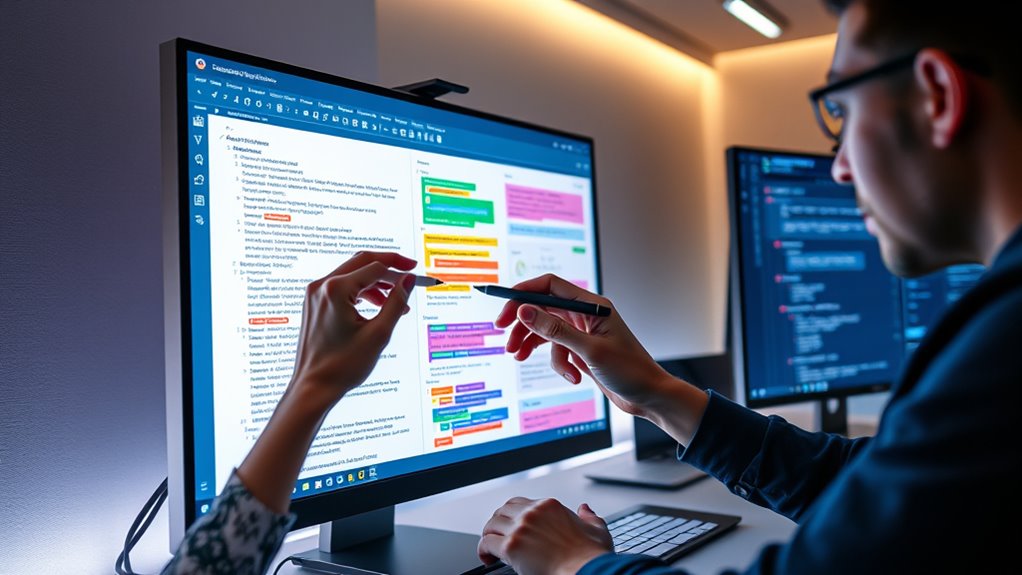
Real-time collaboration features have transformed how teams work together by enabling instant communication and simultaneous editing. When you’re working on a shared document, you can see the changes others make in real time, which streamlines workflows and reduces the need for back-and-forth emails. These features foster a more dynamic, interactive environment where ideas flow freely, and updates happen seamlessly. But to make the most of this technology, understanding key elements like version control and user presence is essential.
Real-time collaboration boosts efficiency with instant edits and seamless teamwork.
Version control plays a crucial role in collaborative editing. As you and your team make changes, the system automatically tracks different versions of the document, allowing you to review or revert to previous iterations if needed. This prevents confusion and ensures everyone works with the most current content. It also helps avoid the chaos that can come from overlapping edits. Instead of overwriting each other’s work or creating multiple conflicting copies, version control keeps everything organized and transparent. You’ll always know who made specific changes and when, which boosts accountability and clarity within the team. Implementing reliable performance metrics is also vital to assess how effectively your collaboration tools are functioning and to identify areas for improvement.
User presence is another vital feature that enhances real-time collaboration. When you’re editing a document, you can see who else is currently active in the file, often represented by colored cursors or icons. This immediate visual feedback helps you coordinate better, avoiding accidental overwrites or conflicts. If someone is actively working on a section you’re about to edit, you can quickly check their cursor position and decide whether to wait or communicate. User presence also fosters a sense of shared effort, making it clear that you’re not working in isolation but as part of a connected team. It encourages more mindful collaboration, as everyone can see the activity and contributions happening at any moment.
Together, version control and user presence create a more robust and efficient environment for document editing. They give you confidence that your work is protected and that everyone’s contributions are visible and accounted for. As you leverage these features, you’ll notice fewer mistakes, less confusion, and faster project completion. These tools help maintain a clear trail of edits and active users, which reduces misunderstandings and increases productivity. Ultimately, real-time collaboration with these capabilities transforms the way teams coordinate, making remote and distributed work more cohesive and effective. With instant updates, clear visibility of who’s involved, and reliable version management, you’re empowered to focus on creating quality content without the typical pitfalls of collaborative editing.

Collaborative Editing with Yjs and CRDTs: The Complete Guide for Developers and Engineers
As an affiliate, we earn on qualifying purchases.
As an affiliate, we earn on qualifying purchases.
Frequently Asked Questions
How Secure Is Real-Time Document Collaboration?
Real-time document collaboration is generally secure if it uses strong encryption protocols and user authentication. Encryption protects your data during transmission and storage, making it difficult for unauthorized users to access. User authentication ensures only authorized individuals can edit or view the document. While no system is completely foolproof, choosing platforms with robust encryption and authentication methods substantially reduces security risks, keeping your collaboration safe and private.
Can Offline Edits Sync Automatically Later?
Yes, offline edits can synchronize automatically later with offline synchronization features. When you reconnect, the system updates your changes and resolves edit conflicts through built-in conflict resolution tools. This guarantees your work stays consistent across devices without manual intervention. Just make sure your app supports offline synchronization, and you’ll seamlessly merge your offline edits once you’re back online, preventing data loss or version conflicts.
What Are the Best Tools for Multi-Device Editing?
Imagine seamlessly switching between devices like a breeze—that’s what the best tools for multi-device editing offer. Cloud-based platforms like Google Docs and Microsoft 365 shine with their cross-platform compatibility, letting you edit effortlessly on smartphones, tablets, or desktops. They synchronize your work instantly, ensuring your edits stay consistent across devices. These tools make collaboration smooth, so you can focus on creating without worrying about technical barriers or compatibility issues.
How Do Collaboration Features Impact Document Version Control?
Collaboration features can considerably impact your document version control by reducing version conflicts and making change history clearer. When multiple people edit simultaneously, these tools track who made each change and when, helping you resolve conflicts quickly. You can review the change history to understand edits over time, ensuring everyone stays on the same page. This makes collaboration smoother and keeps your document’s history organized and accessible.
Are There Limits on the Number of Simultaneous Users?
Ever wondered how many people can edit a document at once? Typically, there are user concurrency limits to prevent performance issues, but these vary by platform. Scalability challenges arise as more users join, which can cause lag or sync delays. Most services set practical limits to optimize experience, but some advanced tools support hundreds of simultaneous users. So, while limits exist, they’re designed to balance collaboration and performance effectively.

Version Control with Git: Powerful Tools and Techniques for Collaborative Software Development
As an affiliate, we earn on qualifying purchases.
As an affiliate, we earn on qualifying purchases.
Conclusion
With real-time collaboration features, you can effortlessly work together on documents, making teamwork faster and more efficient. Imagine editing a report simultaneously with colleagues across the globe—quickly sharing ideas and instantly seeing updates. Isn’t it time you embraced these tools to boost your productivity and creativity? By leveraging real-time collaboration, you transform the way you work, turning isolated efforts into dynamic, collective achievements. So, why not start collaborating more effectively today?
live document editing with user presence
As an affiliate, we earn on qualifying purchases.
As an affiliate, we earn on qualifying purchases.
collaborative editing tools with colored cursors
As an affiliate, we earn on qualifying purchases.
As an affiliate, we earn on qualifying purchases.