To scan and store your travel documents digitally, start by using your smartphone or a reliable scanner to capture clear images of passports, visas, insurance, and itineraries. Organize these files securely in cloud storage with labeled folders for easy access. Make certain to use strong passwords and enable two-factor authentication for added security. Keep offline backups on encrypted drives, and make certain everything stays up-to-date. Keep going to discover how you can enhance your digital storage and stay protected on the go.
Key Takeaways
- Use a reliable scanner or smartphone camera to capture clear, legible images of passports, visas, and travel insurance documents.
- Save digital copies securely in organized cloud folders labeled “Travel Documents” or similar for easy retrieval.
- Encrypt sensitive files and enable two-factor authentication on cloud accounts to protect your personal information.
- Create offline backups on encrypted USB drives or external hard drives for access in case of limited internet.
- Regularly update and review stored documents to ensure all information remains current and accessible during travel emergencies.
Traveling can be stressful enough without worrying about losing important documents. When you’re navigating a new city or rushing to catch a flight, it’s easy for essentials like your passport, travel insurance info, or emergency contacts to get misplaced or stolen. That’s why digitizing and storing your travel documents is a smart move. Having digital copies ensures that even if your physical documents go missing, you can still access vital information quickly. This step provides peace of mind and can save you hours of stress during an already hectic trip.
Digitize your travel documents to stay protected and access vital info quickly during your trip.
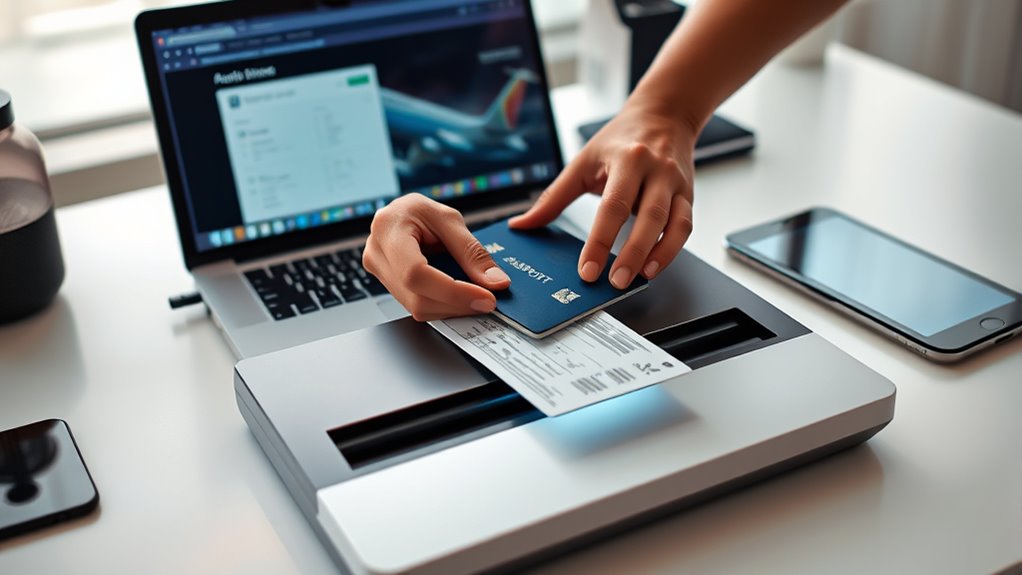
Start by scanning all essential documents—your passport, visa, travel insurance policy, itinerary, and emergency contacts. Use a reliable scanner or your smartphone’s camera, but make sure the images are clear and legible. Save these files in a secure location, such as a password-protected cloud storage service. Cloud storage offers the advantage of being accessible from any device, whether you’re using a laptop, tablet, or phone. Remember to organize your files logically—create folders labeled “Travel Documents,” “Insurance,” and “Emergency Contacts”—so you can find what you need quickly when it matters most.
In addition to scanning, consider creating a digital contact list that includes local emergency numbers, your embassy, and your trusted contacts at home. Make sure to include details like their phone numbers, email addresses, and physical addresses if relevant. Having these contacts at your fingertips can be lifesaving in an emergency, especially if language barriers or unfamiliar surroundings complicate communication. Also, store your travel insurance details digitally, including your policy number, provider contact info, and claim procedures. This way, if you need to report a loss or get assistance, you won’t waste time searching through paper files or emails.
It’s vital to keep your digital files secure. Use strong, unique passwords for your cloud accounts, and enable two-factor authentication if available. Avoid saving sensitive documents on unsecured devices or unprotected networks. Consider encrypting your files or using a dedicated app designed for secure document storage. Also, keep offline copies on an encrypted USB drive or external hard drive as a backup in case you can’t access the internet. This extra step ensures you’re covered even in remote areas with limited connectivity.

Epson WorkForce ES-50 Portable Sheet-Fed Document Scanner for PC and Mac
Fastest and lightest mobile single sheet fed document scanner in its class(1) small, portable scanner ideal for easy,…
As an affiliate, we earn on qualifying purchases.
As an affiliate, we earn on qualifying purchases.
Frequently Asked Questions
How Do I Update My Digital Travel Documents Securely?
To update your digital travel documents securely, first verify you’re using a trusted device with strong digital security measures. Before making changes, encrypt your documents to protect sensitive information. Use secure cloud storage with two-factor authentication, and always update your files through encrypted connections. Regularly review access permissions, and delete outdated copies. These steps help keep your digital documents safe and secure from unauthorized access.
What Are the Best Apps for Scanning Travel Documents?
You should try apps like Adobe Scan, CamScanner, or Microsoft Lens, as they offer excellent scanning features. These apps automatically enhance your document quality and allow you to save scans directly to cloud storage options like Google Drive or OneDrive. For added security, choose apps that support document encryption, ensuring your travel documents stay protected from unauthorized access while stored digitally.
How Can I Ensure My Digital Copies Are Legally Valid?
To guarantee your digital copies are legally valid, add a digital signature to authenticate your documents. Use reputable apps that support secure encryption and document authentication features. Keep your digital files protected with strong passwords and backup copies. Check local regulations regarding electronic documents and digital signatures, as requirements may vary. This way, your scanned travel documents will hold legal weight when needed, ensuring smooth travel and verification processes.
What Should I Do if My Digital Files Are Lost?
If your digital files are lost, don’t panic. First, check if you have a digital backup stored securely elsewhere, like in the cloud or on an external drive. Use your backup to restore your documents. For emergency access, consider keeping a printed copy of essential documents in a safe place. Regularly updating your digital backup guarantees you can quickly recover and access your travel documents when needed.
Are There Any Privacy Concerns With Storing Travel Documents Digitally?
Many believe digital storage is inherently insecure, but with proper measures, it’s safe. You should rely on digital encryption to protect your files and implement strict access control, limiting who can view your travel documents. Using reputable apps and cloud services with strong security features helps safeguard your information. While privacy concerns exist, staying vigilant and employing these security practices guarantees your travel documents remain private and protected.

Kingston Ironkey Locker+ 50 32GB Encrypted USB Flash Drive | USB 3.2 Gen 1 | XTS-AES Protection | Multi-Password Security Options | Automatic Cloud Backup | Metal Casing | IKLP50/32GB,Silver
XTS-AES Encryption with Brute Force and BadUSB Attack Protection
As an affiliate, we earn on qualifying purchases.
As an affiliate, we earn on qualifying purchases.
Conclusion
So, now that you’ve digitized your travel documents, you’re basically a tech-savvy globetrotter—until your phone dies in a remote jungle or gets hacked on a crowded train. Congratulations! You’re perfectly prepared to prove your identity from a cloud, a thumb drive, or a mysterious email. Just remember, in the digital age, the only thing more secure than your documents is the chance that someday, you’ll forget your password. Happy travels—digitally, of course!

LoDrid Collapsible File Tote Bag with Handles, Portable File Organizer Box with 3 Built-in Boards for Letter Size Files, Document Storage Case for Office, Home, Travel, Totem, Bag Only, LD06002
Updated Version: Thickened bottom and 4 sided support plates; 1 detachable support plate on the back and 3…
As an affiliate, we earn on qualifying purchases.
As an affiliate, we earn on qualifying purchases.

TOPBAG Passport Holder Family, Women Rfid Blocking Passport Wallet, Travel Document Organizer for Premium Wallets, Waterproof Passport Holders Bag for Women & Men Traveling, Credit Cards Case
【High Quality travel passport holder】This passport wallet and passport book holder is made of super strong and durable…
As an affiliate, we earn on qualifying purchases.
As an affiliate, we earn on qualifying purchases.