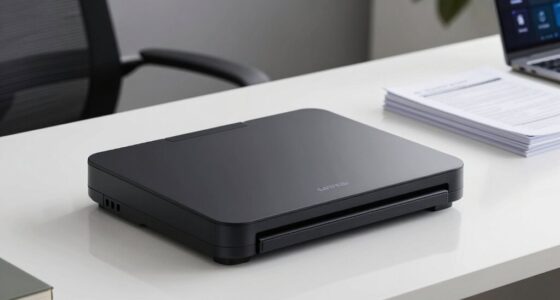

To keep your scanning equipment performing well, regularly clean both internal and external parts using soft, lint-free cloths and compressed air to remove dust and debris. Follow the manufacturer’s instructions for calibration to guarantee high accuracy and image quality, especially at recommended intervals. Conduct maintenance in a stable environment free of dust and vibrations. Keeping detailed records of each maintenance session helps track performance and catch issues early—learn more about effective maintenance practices here.

Prime made for students and young adults
- Fast, free delivery for dorm and study essentials
- Prime Video and Amazon Music included
- Member-only deals
Key Takeaways
- Regularly calibrate the scanner following manufacturer guidelines to ensure accuracy and consistent image quality.
- Clean external surfaces and internal components using soft cloths and compressed air to prevent dust buildup.
- Conduct calibration in a stable, dust-free environment and document each session for performance tracking.
- Implement routine dust prevention measures, such as dust covers and enclosures, especially in dusty or high-use areas.
- Schedule periodic inspections of filters, vents, and internal parts to maintain optimal scanner performance and longevity.

Regular maintenance and cleaning are essential to keep your scanning equipment operating at peak performance. One of the most critical aspects of this is sticking to proper calibration procedures. Calibration ensures that your scanner captures images with high accuracy and consistent quality. Over time, sensors can drift, leading to distortions or inaccuracies in scans. To prevent this, regularly follow the manufacturer’s calibration protocols, which might involve using calibration targets or software tools designed for your specific model. Conducting calibration at recommended intervals guarantees that your device maintains its precision, reducing errors and minimizing the need for costly repairs or recalibrations down the line. When calibrating, make sure the environment is stable—avoid drafts, vibrations, or temperature fluctuations—as these can interfere with calibration results. Document each calibration session so you can track performance over time and identify when further adjustments are necessary.
Dust prevention techniques are equally vital. Dust and debris are the enemies of clean scans, as they can settle on lenses, sensors, or internal components, impairing image quality or causing mechanical issues. To prevent this, establish a routine cleaning schedule that includes gentle dust removal methods. Use compressed air to blow dust away from sensitive parts, but avoid direct contact with delicate optical surfaces. Soft, lint-free cloths or specialized wipes work well for cleaning external surfaces; never use abrasive materials that could scratch lenses or screens. Additionally, consider installing dust covers or enclosures if your workspace tends to be dusty or if the scanner is used frequently. Regularly inspecting and cleaning filters, vents, and internal components also helps prevent dust buildup, which can lead to overheating or component failure. Maintaining a clean environment and proper handling techniques further contribute to equipment longevity and optimal performance. Keep your workspace clean and free of excessive dust, and train anyone using the equipment on proper handling and cleaning techniques.
Combining diligent calibration procedures with effective dust prevention techniques ensures your scanning equipment remains reliable and accurate. Proper calibration not only optimizes image quality but also extends the lifespan of your device by preventing unnecessary wear caused by misalignments. Meanwhile, dust prevention safeguards the internal and external parts from damage and performance issues. Together, these practices reduce downtime and improve the overall efficiency of your scanning tasks. Remember, consistent attention to these details is key. Taking the time to regularly calibrate your scanner and keep it dust-free might seem minor, but it pays off through consistently high-quality scans, fewer repairs, and longer equipment lifespan. Maintaining your scanner with these proactive steps helps you avoid costly setbacks and ensures your work remains precise and professional every time.
Popular right now

Ninja SP151 Flip Toaster Oven and Air Fryer

Ninja Foodi 6-in-1 DualZone Air Fryer, 8 qt, Grey (DZ201)

Ninja Foodi 10-Qt DualZone Air Fryer, 6-in-1, Black (DZ302)
As an affiliate, we earn on qualifying purchases.
Frequently Asked Questions
How Often Should I Replace Scanner Components for Optimal Performance?
You should replace scanner components according to the recommended replacement schedule to guarantee peak performance. Typically, key parts like rollers and belts have a limited component lifespan, often around 50,000 scans or every 6 to 12 months. Regularly check your scanner’s manual for specific guidelines. By adhering to this schedule, you prevent downtime, maintain image quality, and extend your scanner’s overall lifespan.
Can Cleaning Solutions Damage Sensitive Scanner Parts?
Cleaning solutions can be a double-edged sword, like a gentle breeze that might turn into a storm if you’re not careful. You should always use cleaning techniques specifically designed for sensitive scanner parts and verify solution compatibility. Using harsh or incompatible solutions can damage delicate components, leading to costly repairs. Always check manufacturer guidelines and opt for approved cleaning agents to protect your equipment and keep it functioning smoothly.
What Are the Signs of a Malfunctioning Scanner?
You’ll notice a malfunctioning scanner through various signs like frequent errors, inconsistent scans, or scanner alerts that pop up unexpectedly. Slow performance and difficulty recognizing documents also indicate issues. Make sure your software is up-to-date, as outdated software can cause malfunctions. If problems persist despite updates, check for hardware issues or debris. Addressing these signs promptly helps maintain smooth operation and prevents further damage.
How Do I Calibrate My Scanner for Accurate Results?
Think of scanner calibration as tuning a fine instrument; it guarantees your results hit the right notes. To calibrate for accuracy improvement, access your scanner’s calibration settings, follow the on-screen prompts, and run the calibration process. Regular calibration keeps your device singing in harmony, preventing errors from creeping in. Trust this routine to sharpen your scans, making every image clear, precise, and true to life.
Are There Specific Storage Conditions to Prolong Scanner Lifespan?
To prolong your scanner’s lifespan, you should store it in a cool, dry place with controlled humidity and stable temperature. Keep humidity levels between 40-60% to prevent moisture buildup, which can damage sensitive parts. Avoid exposing the scanner to extreme temperatures or direct sunlight. Using a protective cover can also help shield it from dust and environmental contaminants, ensuring ideal performance and longevity.
Conclusion
By regularly maintaining and cleaning your scanning equipment, you keep it running smoothly like a well-oiled machine. Think of your device as a garden; with proper care, it’ll flourish and perform at its best. Don’t let dust and grime build up like weeds choking a garden’s beauty. A little effort now guarantees your equipment stays sharp, accurate, and ready to deliver clear results whenever you need them. Keep it clean, and it’ll serve you well for years to come.