
To choose the right scanner, consider what you’ll mostly scan—high-resolution for detailed images or moderate for everyday documents. Think about your workspace: do you need wired reliability or wireless convenience? Balance resolution with storage needs to avoid large files, and pick features that match your tasks, whether quick scans or high-quality projects. Exploring your options now helps you find a device that fits seamlessly into your workflow and future needs.
Key Takeaways
- Identify your primary use: high-quality projects need high-resolution scanners, while everyday documents require moderate settings.
- Consider connectivity options (USB, Wi-Fi, Ethernet) to ensure compatibility with your existing workflow and environment.
- Balance resolution and file size to optimize storage, processing speed, and image detail for your specific tasks.
- Choose a scanner with user-friendly features and ease of operation to improve efficiency and reduce setup time.
- Assess your environment and future needs to select a device that offers the right features, scalability, and integration options.

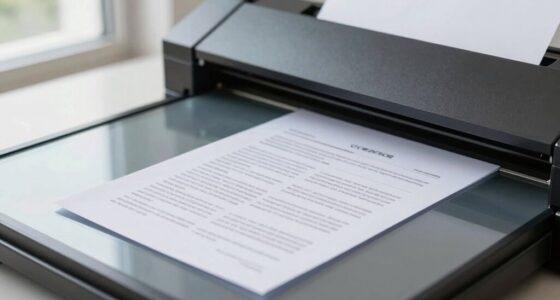
When selecting a scanner, the key is to identify your specific needs and match them with the device’s features. One of the most important factors to contemplate is document resolution. This determines how clear and detailed your scanned images will be. If you’re digitizing high-quality photographs or detailed graphics, you’ll need a scanner with a high resolution, typically measured in dots per inch (dpi). For everyday document scanning, a lower resolution—around 300 dpi—usually suffices. Understanding your primary use will help you choose a scanner that provides the right balance between quality and file size. Keep in mind that higher resolution scans produce larger files, so if storage is limited or quick processing is a priority, a moderate resolution might be better. Additionally, consider how the scanner’s ease of use impacts your workflow, especially if you plan to scan frequently or in a busy environment.
Another crucial aspect is scanner connectivity. How you connect your scanner to your computer or network influences your workflow and overall convenience. Many modern scanners offer multiple connectivity options, including USB, Wi-Fi, Ethernet, and even Bluetooth. USB remains the most common and reliable choice for direct, high-speed connections, especially if you’re scanning large volumes or high-resolution images. Wi-Fi and Ethernet options are invaluable if you need to share the scanner across multiple users or devices in an office environment. Wireless connectivity can simplify your setup, eliminate clutter from cables, and enable remote operation through dedicated apps or software. When evaluating scanner connectivity, think about your existing setup and future needs. If you’re in a shared workspace, a scanner with robust network options can streamline operations and reduce bottlenecks.
Matching document resolution with your needs ensures you get crisp, detailed scans without overpaying for unnecessary features. Simultaneously, choosing the right scanner connectivity can boost efficiency, whether you prefer a straightforward USB connection or a flexible wireless setup. As you weigh your options, remember that the best scanner for you is one that aligns with your typical tasks and environment. High resolution is essential for quality-critical projects, while versatile connectivity options help integrate the device seamlessly into your workflow. By considering both factors carefully, you’ll be able to select a scanner that not only meets your current needs but also adapts to future demands.

Epson Perfection V19 II Color Photo and Document Flatbed Scanner with 4800 dpi Optical Resolution USB Power, High-Rise, Removable Lid
Amazing image clarity and detail — 4800 dpi optical resolution (1), ideal for photo enlargements
As an affiliate, we earn on qualifying purchases.
As an affiliate, we earn on qualifying purchases.
Frequently Asked Questions
How Do Scanner Speeds Impact Productivity?
Scanner speeds directly impact your productivity by allowing you to process more documents quickly. Faster scanners handle high digital resolution and color depth efficiently, ensuring high-quality images without slowing you down. When your scanner operates at a higher speed, you spend less time waiting for scans, which boosts your overall workflow. So, investing in a speedy scanner helps you complete tasks faster, saving time and increasing your efficiency.
What Are the Best Scanners for Large-Volume Scanning?
For large-volume scanning, look for high-capacity document management scanners that handle multiple pages quickly while maintaining excellent image quality. Brands like Fujitsu, Kodak, and Canon offer models with fast speeds and reliable feeders, reducing your workload. Prioritize features like automatic duplexing and minimal maintenance. These scanners streamline your workflow, ensuring clear, accurate images even during extensive scanning sessions, boosting overall productivity and efficiency in managing large document volumes.
How Does Scanner Compatibility Affect Workflow?
Did you know that 75% of document management errors stem from incompatible scanners? Compatibility directly impacts your workflow by ensuring smooth integration with existing software and hardware. When your scanner aligns with your system, it maintains high image quality and speeds up processing, saving you time and reducing mistakes. Without compatibility, you risk delays, poor image resolution, and compromised document management, making it essential to choose a scanner that fits seamlessly into your setup.
What Security Features Are Available on Modern Scanners?
Modern scanners come equipped with security features like security protocols and encryption standards to protect your data. You can enable encryption during scanning to secure sensitive information and set up user authentication to restrict access. Some models also support secure network connections, like VPNs or HTTPS, ensuring your scans stay private. These features help you comply with data security regulations and safeguard your confidential information during every scan.
Are There Eco-Friendly Scanner Options Available?
Yes, eco-friendly scanner options are available. You can look for models that participate in recycling programs and have eco certifications like ENERGY STAR. These scanners use less power, have recyclable parts, and are designed with sustainable materials. By choosing such options, you help reduce environmental impact and support greener technology, making your scanning process more eco-conscious.
wireless home office scanner
As an affiliate, we earn on qualifying purchases.
As an affiliate, we earn on qualifying purchases.
Conclusion
So, after all that, you’d think picking a scanner is rocket science. Turns out, it’s just about knowing what you need—simple, right? Ironically, the most advanced, feature-packed models might not be your best fit. Sometimes, the straightforward, budget-friendly scanner does the job perfectly. So go ahead, choose wisely—and don’t overthink it. After all, in the end, it’s just a scanner, not a spaceship. Happy scanning!
USB flatbed scanner for photos
As an affiliate, we earn on qualifying purchases.
As an affiliate, we earn on qualifying purchases.
network document scanner Ethernet Wi-Fi
As an affiliate, we earn on qualifying purchases.
As an affiliate, we earn on qualifying purchases.