
To keep your files organized, adopt consistent naming conventions with clear, descriptive labels that include version numbers, dates, or keywords, and use underscores or hyphens as delimiters. This helps you quickly find, sort, and identify the latest documents, reducing confusion and preventing overwrites. Combining these practices streamlines your workflow and saves time. Stay tuned to discover even more tips to make your digital files easier to manage and access.
Key Takeaways
- Use clear, descriptive names with relevant keywords for easy identification.
- Incorporate version numbers, dates, or timestamps to track document updates.
- Maintain a consistent naming format across all files and folders.
- Replace spaces with underscores or dashes for better readability and compatibility.
- Implement a standardized folder structure to support logical and efficient organization.
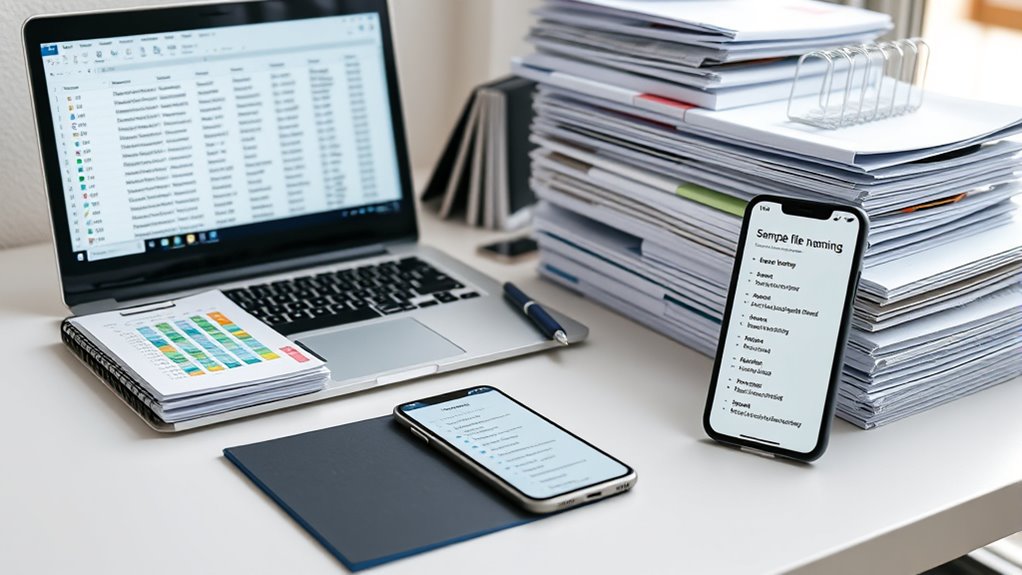
Have you ever struggled to find a file among dozens of cluttered folders? It’s frustrating, isn’t it? Without a clear system, your digital workspace quickly becomes chaotic, making it hard to locate the latest version of a document or track changes over time. That’s where good file naming conventions come into play. Implementing consistent naming practices isn’t just about tidiness; it’s about efficiency and reducing errors. One of the most critical aspects is incorporating version control into your naming scheme. When you include version numbers, dates, or timestamps in your filenames, you create a straightforward way to identify the most recent or relevant file at a glance. For example, instead of vague names like “Report.docx,” you could use “Report_v2_20240427.docx,” which immediately tells you this is the second version created on April 27, 2024. This practice helps you avoid confusion caused by multiple similar files and ensures that everyone working on a project is on the same page.
Equally important is maintaining naming consistency across your files. Consistency means adopting a standardized format for all your documents—deciding on a pattern for dates, project codes, or descriptive keywords—and stick to it. When everyone follows the same naming rules, it becomes effortless to sort, search, and retrieve files. For instance, always placing the date at the beginning of the filename or using underscores instead of spaces makes your folder structure predictable and easier to navigate. Consistent naming also minimizes the risk of duplicate files or overwriting important data because it’s easier to recognize the correct file instantly.
Together, version control and naming consistency form the backbone of effective file organization. They work hand-in-hand to streamline your workflow, whether you’re managing a small project or a large team. When you name files thoughtfully and adhere to a set pattern, you reduce the time spent searching for documents, prevent accidental edits to outdated versions, and make collaboration smoother. Over time, this habit cultivates a disciplined approach to digital organization, keeping your files tidy, accessible, and meaningful. Ultimately, adopting these best practices saves you from unnecessary headaches and helps you focus on the work that truly matters. With clear, consistent, and well-controlled filenames, you’ll find what you need faster and work more efficiently every day.
file naming convention templates
As an affiliate, we earn on qualifying purchases.
As an affiliate, we earn on qualifying purchases.
Frequently Asked Questions
How Do I Choose the Best Naming Convention for My Team?
To choose the best naming convention for your team, focus on simplicity and clarity to promote naming consistency. Involve your team in selecting a system that everyone understands and follows consistently. Use clear, descriptive keywords and avoid spaces or special characters. This approach enhances team collaboration, guarantees files are easily locatable, and maintains an organized workflow. Regularly review and update your conventions to adapt to evolving needs, keeping everyone aligned.
Should I Include Version Numbers in File Names?
Yes, you should include version numbers in file names to keep everything clear. It’s a smart move for version control and maintaining file naming consistency. This way, you won’t be caught with your pants down trying to find the latest version. Including version numbers helps prevent confusion, especially when multiple team members work on the same document. It keeps your files organized and saves time in the long run.
How Can I Automate File Naming Processes Effectively?
You can automate your file naming process by using automated renaming tools that support batch processing. These tools allow you to set naming rules, such as adding dates, version numbers, or descriptive keywords, and then apply them to multiple files at once. This saves time, reduces errors, and keeps your files consistently organized. Explore software like Bulk Rename Utility or advanced scripts to streamline your workflow and achieve efficient, automated file naming.
What Are Common Mistakes to Avoid in File Naming?
Think of naming files like walking a tightrope—you need balance. Avoid common mistakes like inconsistent naming that confuses your system and case sensitivity issues that make files hard to find. Always use clear, descriptive names and stick to a consistent format. Don’t rely on vague abbreviations or mixing uppercase and lowercase randomly, because these habits make your files chaotic and difficult to organize, slowing down your workflow.
How Do I Handle Special Characters in File Names?
When handling special characters in filenames, you should avoid using them directly, as they can cause issues across different systems. Instead, use proper special character encoding or filename sanitization to substitute or remove problematic characters. This ensures your filenames stay compatible and safe. Always double-check your filenames after sanitization to prevent accidental data loss, and stick to simple, alphanumeric characters for maximum compatibility.

Manage Files with Google Drive 2025: Master Modern File Organization And Collaboration With Practical Cloud Storage Tools Security Essentials And Productivity Strategies For Everyday Digital Success
As an affiliate, we earn on qualifying purchases.
As an affiliate, we earn on qualifying purchases.
Conclusion
By adopting these file naming conventions, you’re guiding your digital universe like a seasoned cartographer, ensuring clarity and order amid chaos. When you organize your files thoughtfully, you create a legacy of efficiency, much like a timeless manuscript passed through generations. Remember, as in Homer’s tales, the way you name your files shapes your journey—making each search simpler, each project smoother, and your digital Odyssey more legendary.
![Free Fling File Transfer Software for Windows [PC Download]](https://m.media-amazon.com/images/I/41Vq6ZqHfjL._SL500_.jpg)
Free Fling File Transfer Software for Windows [PC Download]
Intuitive interface of a conventional FTP client
As an affiliate, we earn on qualifying purchases.
As an affiliate, we earn on qualifying purchases.
file naming system for teams
As an affiliate, we earn on qualifying purchases.
As an affiliate, we earn on qualifying purchases.