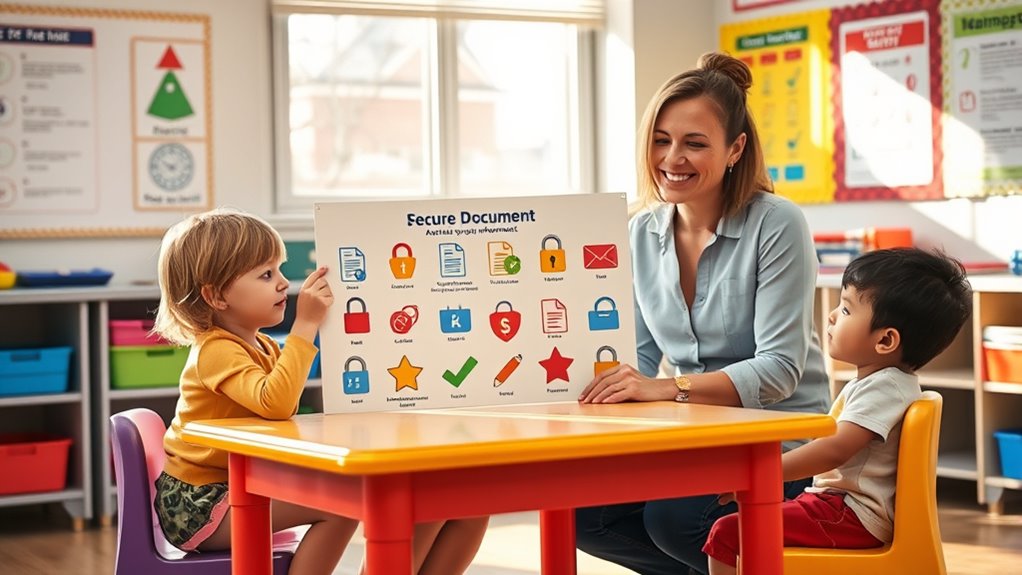

Teaching children about document safety helps them understand the importance of protecting personal information like their birth certificates, IDs, and social security cards. You should create routines for storing these documents securely, such as using locked drawers or safes, and explain why they shouldn’t share private info with strangers. Use practical examples to illustrate safe behaviors and reinforce the importance of privacy rules. Keep encouraging ongoing conversations to build a strong foundation in digital and personal safety.
Key Takeaways
- Explain the importance of safeguarding personal documents like birth certificates and IDs to prevent theft and identity fraud.
- Teach children to store important papers securely in locked drawers or safes at home.
- Use role-playing to practice saying no or asking for help when someone requests their private information.
- Reinforce the habit of sharing personal details only with trusted adults and in safe situations.
- Make ongoing conversations about privacy and document safety part of daily routines to build responsible habits.

Have you ever wondered how to teach children the importance of keeping their personal documents safe? It’s a vital skill that can protect them from identity theft, fraud, and privacy breaches. Starting early with simple, clear lessons on cybersecurity tips and privacy rules sets a strong foundation for responsible behavior. Children often think of their personal information as something they can share freely, but teaching them otherwise helps them understand the risks involved. Explaining that their name, address, school details, and even photos are sensitive data can help them realize why safeguarding these details matters. Use age-appropriate language to make these concepts relatable, framing privacy as a superpower that keeps their personal world secure.
Teaching kids to protect personal info builds lifelong cybersecurity habits and keeps their world safe.
When you talk about cybersecurity tips, focus on practical steps they can follow daily. Encourage them to use strong, unique passwords for their online accounts and explain why sharing passwords isn’t safe. Teach them to keep their passwords private and never write them down where others can find them. Reinforce the idea that they should only share personal information with trusted adults, like parents or teachers, and never with strangers online. Make it clear that privacy rules extend beyond the digital world as well—like not giving out their home address or phone number to someone they don’t know well. Use examples they can relate to, such as not revealing personal details to a new friend they just met, whether in person or online.
Creating routines around document safety helps children internalize these lessons. Show them how to keep important documents—like their birth certificate, social security card, or school ID—in a safe, designated place at home, such as a locked drawer or safe. Explain that these documents contain their personal information and need to be protected from loss, damage, or theft. Reinforce the importance of asking for help if they lose a document or if someone asks for their private information unexpectedly. Role-playing scenarios can help children practice saying no or asking an adult for advice, empowering them to handle tricky situations confidently. Additionally, introducing them to concepts like contrast ratio in visual displays helps them understand the importance of clarity and quality in information presentation, which can be related to how they share and protect their personal data.
Finally, promote ongoing conversations about privacy and security. Children learn best when they see these rules as part of everyday life, not just a one-time lesson. Remind them regularly about privacy rules, and praise their efforts to keep their personal information secure. By instilling these habits early—grounded in cybersecurity tips and privacy rules—you help your children build a lifelong understanding of how to protect themselves and their personal documents in an increasingly digital world.

Epson WorkForce ES-50 Portable Sheet-Fed Document Scanner for PC and Mac
Fastest and lightest mobile single sheet fed document scanner in its class(1) small, portable scanner ideal for easy,...
As an affiliate, we earn on qualifying purchases.
Frequently Asked Questions
How Can I Tell if a Document Is Safe to Open?
You can tell if a document is safe to open by checking its file extension, like .pdf or .docx, which are generally safe, but be cautious with unfamiliar ones. Always verify the source—if you don’t recognize the sender or the website it came from, it’s best to avoid opening it. Trust your instincts, and if something seems off, delete or scan the document with security software before opening.
What Should Children Do if They Receive a Suspicious Email?
If you receive a suspicious email, don’t ignore it—your digital safety could depend on it! First, tell a trusted adult immediately. Avoid clicking links or opening attachments, which could be harmful. Use your cyberbullying awareness to recognize if the email is mean or threatening. Remember, managing your digital footprint means being cautious online. Always report suspicious messages to keep yourself safe and help prevent cyber threats from spreading.
How Do I Explain Password Importance to Kids?
You should explain to kids that passwords are like secret keys that protect their online privacy. Emphasize that strong password protection makes it harder for others to access their personal information. Encourage them to create unique passwords and avoid sharing them. By understanding the importance of password security, kids learn to keep their online accounts safe and respect their own privacy and the privacy of others.
Are There Apps That Help Monitor Children’s Document Safety?
You might wonder if there are apps that help monitor your child’s document safety. Yes, many parental controls and monitoring software exist to keep an eye on their online activity. These tools can alert you to any risky behavior, restrict access to inappropriate content, and ensure they’re handling documents securely. Using such apps gives you peace of mind while teaching your kids responsible digital habits, including safe document management.
What Signs Indicate a Child’s Device Has Been Compromised?
Imagine your child’s device as a fortress under siege. Signs it’s compromised include unusual activity, frequent crashes, or unexpected pop-ups. Keep an eye out for phishing alerts or malware symptoms like slow performance, strange messages, or battery drain. If these appear, it’s like a red flag waving, indicating the device might be under attack. Acting quickly can help shield their digital world from further harm.

Epson Workforce ES-580W Wireless Color Duplex Tax Receipt & Desktop Document Scanner for PC and Mac with 100-sheet Auto Feeder (ADF), Intuitive 4.3' Touchscreen
EFFORTLESS WIRELESS SCANNING – With a 4.3" touchscreen and wireless connectivity, this high-speed scanner sends scans straight to...
As an affiliate, we earn on qualifying purchases.
Conclusion
Teaching children about document safety is essential in today’s digital world. When you make it fun and engaging, they learn to protect their personal information effectively. Did you know that 43% of cyberattacks target children and teenagers? By teaching them early, you’re helping build their confidence and awareness, reducing their risk of falling for scams or identity theft. Keep the lessons simple, consistent, and positive—your efforts today will keep their digital lives safer tomorrow.

Epson Workforce ES-400 II Color Duplex Desktop Document Scanner for PC and Mac with Auto Doc Feeder (ADF), Image Adjustment Tools
FAST DOCUMENT SCANNING – Speed through stacks with the 50-sheet Auto Document Feeder, perfect for office scanning and...
As an affiliate, we earn on qualifying purchases.

ScanSnap iX2500 Wireless or USB High-Speed Cloud Enabled Document, Photo & Receipt Scanner with Large 5" Touchscreen and 100 Page Auto Document Feeder for Mac or PC, Black
OUR MOST ADVANCED SCANSNAP. Large touchscreen, fast 45ppm double-sided scanning, 100-sheet document feeder, Wi-Fi and USB connectivity, automatic...
As an affiliate, we earn on qualifying purchases.