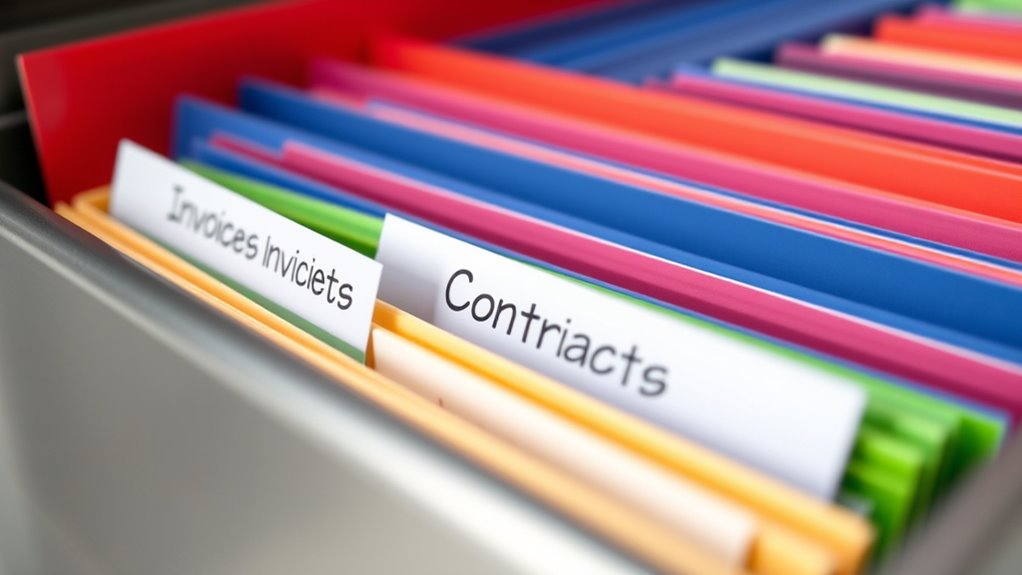

To make your important documents easy to identify, use clear, consistent labels with relevant keywords like “Tax_2023” or “Insurance_Policy.” Incorporate color-coding or visual cues to quickly distinguish categories. Label physical files with durable materials and digital files with descriptive names and dates for easy searching. Regularly update labels to stay organized. If you want tips on creating effective labels and organizing systems, explore what’s next for smarter document management.
Key Takeaways
- Use clear, descriptive labels with relevant keywords like dates or document types for quick search.
- Implement consistent naming conventions across all files and folders for uniformity.
- Incorporate color coding or visual tags to differentiate categories at a glance.
- Include important details such as dates or status in labels to track document versions.
- Regularly review and update labels to ensure ongoing relevance and organization.

Organizing your important documents begins with proper labeling, ensuring you can quickly find what you need when it matters most. Whether you’re sorting physical files or digital files, effective labeling is the key to efficient retrieval. Digital organization offers numerous tools to streamline this process, making it easier to categorize, search, and access your files. Labeling tools—software features that allow you to add descriptive tags, color codes, or custom labels—are invaluable in creating a well-structured digital filing system. These tools help eliminate confusion and reduce the time spent searching through cluttered folders.
Effective labeling streamlines document retrieval and keeps your files organized.
When you’re labeling digital documents, use clear, consistent naming conventions. Incorporate relevant keywords that accurately describe the content, such as “Tax_Return_2023” or “Insurance_Policy.” This practice makes it easier to locate files via search functions and minimizes the chance of misplacing important records. Many digital organization platforms also allow for color labeling or tagging, which adds a visual cue to your files. For example, you might assign red labels to urgent documents, green for financials, and blue for personal records. These visual indicators help you quickly identify the document’s category at a glance, saving time and reducing stress.
Physical document labeling is just as crucial. Use durable labels and clear handwriting or printed text to ensure longevity and readability. Label tabs on folders with specific categories like “Medical Records,” “Legal Documents,” or “Bank Statements.” Consider using labeling tools such as label makers or printable labels for a neat, professional look. When organizing physical files or binders, maintain a consistent labeling style so you can effortlessly navigate your filing system. Keep labels straightforward; avoid vague descriptions that require extra effort to interpret later.
For both digital and physical documents, think about your future needs. For example, include dates in your labels to track versions or time-sensitive items, like “Utility Bill_April2024.” This detail can prevent confusion or duplication later. Additionally, utilizing labeling tools can enhance your ability to organize and quickly access your important records. When you update your files, revisit your labeling system periodically to ensure it remains relevant and effective. Adjust labels as necessary, especially if your document categories evolve over time.
In essence, mastering the art of labeling—using the right tools and techniques—pays off in quick, reliable access to your important documents. Digital organization combined with effective labeling tools enhances your ability to stay on top of vital records. Whether you’re managing personal papers or business files, clear, consistent labels create a streamlined system that saves you time and minimizes frustration. Proper labeling isn’t just a superficial step; it’s the foundation of an organized, stress-free record-keeping system.

Brother P-Touch PTD220 Home/Office Everyday Label Maker | Prints TZe Label Tapes up to ~1/2 inch White
Ideal For Small Office, Home Office, and Home Organization: a mobile label maker to keep homes, small offices,…
As an affiliate, we earn on qualifying purchases.
As an affiliate, we earn on qualifying purchases.
Frequently Asked Questions
What Are the Best Materials for Durable Document Labels?
You should choose durable materials like waterproof vinyl or polyester for your document labels. These materials withstand moisture, tearing, and wear, making them ideal for long-term use. Focus on labeling techniques that guarantee the adhesive quality is strong and permanent, preventing labels from peeling or falling off. Using high-quality, weather-resistant labels helps keep your documents organized and easily identifiable, even in tough environments or over time.
How Often Should I Update Document Labels?
You should update your document labels whenever there’s a change in the content or purpose, typically following your labeling frequency or label updating schedule. Regularly review labels at least once a year to verify accuracy, especially for financial, legal, or essential documents. Keep an eye out for wear and tear, and update labels promptly to avoid confusion. Staying consistent with your schedule helps maintain organized, easily identifiable documents.
Can Digital Labeling Replace Physical Labels Effectively?
Digital labeling can effectively replace physical labels if you use reliable labeling software. It offers quick updates, easy categorization, and searchable tags, making organization seamless. While physical labels provide tangible identification, digital labels are more versatile and eco-friendly. You should consider your document access needs and security to decide whether digital or physical labeling suits you best. Combining both can give you the most thorough and efficient system.
Are There Legal Considerations for Labeling Sensitive Documents?
Yes, you need to ensure confidentiality concerns and legal compliance when labeling sensitive documents. Proper labeling helps protect confidential information and ensures you meet legal standards, especially for regulated industries. Avoid revealing sensitive details that could compromise privacy or violate laws. Use clear, discreet labels and follow organizational policies to safeguard your documents. Staying aware of legal considerations ensures your labeling practices support confidentiality and stay within legal boundaries.
How Do I Organize Labels for Multiple Document Categories?
You should use clear categorization systems and color coding to organize labels for multiple document categories. Assign specific colors to each category, like blue for financials or green for legal papers, to make identification quick. Keep labels consistent across all documents, and consider adding descriptive titles or codes. This approach streamlines your filing process, minimizes confusion, and guarantees you can locate important documents efficiently.

YSHIHE Colored Labels 2500 Pcs – 10 Color Stickers 1/2" x 3/4" Price Sticker for File Folder Tabs, Garage Sale, Price tag etc
【Package includes】You will receive 25 sheets- 1/2 Inch x 3/4 Inch 10 bright colors 100 pieces per sheet,total…
As an affiliate, we earn on qualifying purchases.
As an affiliate, we earn on qualifying purchases.
Conclusion
By labeling your important documents clearly, you create order out of chaos, turning clutter into clarity. Imagine a cluttered desk transformed into a neat workspace, where each folder is a beacon of organization. Without labels, your papers are like lost treasures in a vast ocean; with them, they become easily accessible islands. Embrace the power of simple labels, and watch your life become more streamlined, saving you time and stress in moments of need.

Burning Studio 27 – Burn, copy, save – the multimedia all-rounder – burning software – create covers, inlays, disk labels for Win 11, 10
THE ALL-IN-ONE BURNING STANDARD: Effortlessly burn, copy, and rip CDs, DVDs, and Blu-ray discs. Whether you’re archiving family…
As an affiliate, we earn on qualifying purchases.
As an affiliate, we earn on qualifying purchases.

Avery File Folder Labels with TrueBlock Technology, Permanent Adhesive, 2/3" x 3-7/16", Laser/Inkjet, 150 Labels (08593)
Manage files efficiently with a uniform, organized look with classic white file folder labels that allow text to…
As an affiliate, we earn on qualifying purchases.
As an affiliate, we earn on qualifying purchases.