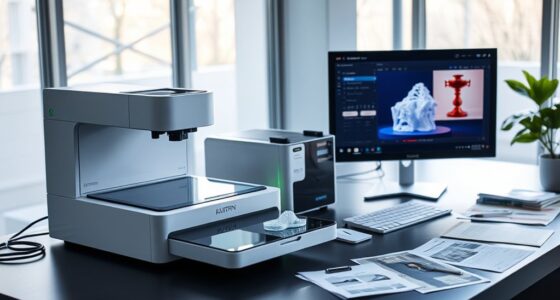

When choosing cloud storage options for your scanned documents, consider providers like Google Drive, Dropbox, or OneDrive, which make sharing easy through links or invites, and allow you to set access permissions. They also offer security features like encryption and two-factor authentication to protect sensitive files. Many services support automatic uploads and high-speed transfers, helping streamline your workflow. Keep exploring to discover how you can optimize your storage and sharing setup for maximum efficiency and security.
Key Takeaways
- Choose providers like Google Drive, Dropbox, or OneDrive for easy sharing and collaboration of scanned files.
- Utilize shareable links and permission controls to securely distribute your scanned documents.
- Ensure data security with encryption, two-factor authentication, and compliance standards.
- Automate uploads from scanners or mobile devices to streamline document management.
- Evaluate storage plans based on volume, quality, and security needs to find the best value.

Are you overwhelmed by the variety of cloud storage options available today? With so many providers offering different features, it can be tough to decide which one best suits your needs, especially when it comes to storing your scanned documents. One of the primary concerns is file sharing—how easily you can access and distribute your files—and storage security, guaranteeing your sensitive documents stay protected from unauthorized access. When evaluating options, consider platforms that excel in both areas.
Many popular cloud storage providers, like Google Drive, Dropbox, and OneDrive, prioritize seamless file sharing. They allow you to share scanned documents effortlessly, whether by generating shareable links or inviting collaborators through email. This ease of access makes it simple to distribute files to colleagues, friends, or clients without the hassle of emailing large attachments. Look for features like permission controls, which let you decide who can view, comment, or edit your files. This guarantees you maintain control over your documents, especially when sharing sensitive or confidential scans.
Popular cloud services like Google Drive, Dropbox, and OneDrive make sharing scanned documents easy with link generation and permission controls.
Storage security is equally vital. Your scanned documents may contain personal or confidential information, so you want a platform that offers robust security measures. Many providers employ encryption both during data transfer and at rest, safeguarding your files from interception or unauthorized access. Some services also include two-factor authentication, adding an extra layer of protection beyond just a password. Before choosing a cloud storage option, verify their security protocols and compliance standards, such as GDPR or HIPAA if relevant to your industry. Additionally, look for high-speed data transfer capabilities that facilitate quick uploads and downloads, making your workflow more efficient.
Another aspect to contemplate is how well the service integrates with your existing workflow. If you often scan documents directly from your mobile device or scanner, look for apps that support automatic uploading or synchronization. These features streamline the process, saving you time and reducing the risk of losing important files. Additionally, check the storage limits and pricing plans—many free options offer enough space for basic needs, but if you’re dealing with large volumes of high-resolution scans, paid plans with expanded storage and advanced security features might be worth the investment.
In choosing your cloud storage provider, prioritize platforms that strike a balance between easy file sharing and strong storage security. Remember, the goal is to make your scanned documents accessible when needed while keeping them safe from unauthorized eyes. By focusing on these aspects, you’ll find a solution that not only simplifies your document management but also protects your sensitive information. Ultimately, selecting the right cloud storage option depends on understanding your specific needs and guaranteeing your data remains private and easily shareable.

ScanSnap iX2500 Wireless or USB High-Speed Cloud Enabled Document, Photo & Receipt Scanner with Large 5" Touchscreen and 100 Page Auto Document Feeder for Mac or PC, Black
OUR MOST ADVANCED SCANSNAP. Large touchscreen, fast 45ppm double-sided scanning, 100-sheet document feeder, Wi-Fi and USB connectivity, automatic…
As an affiliate, we earn on qualifying purchases.
As an affiliate, we earn on qualifying purchases.
Frequently Asked Questions
How Secure Are Free Cloud Storage Services for Sensitive Documents?
Free cloud storage services vary in security for sensitive documents. They often use encryption standards like AES to protect your data, but security depends on the provider’s privacy policies and practices. You should review their privacy policies carefully, as some may share data or have weaker security measures. While free options can be convenient, for highly sensitive files, consider paid services with stronger encryption and transparent privacy policies to guarantee better security.
Can I Access My Scanned Documents Offline From Cloud Storage?
Did you know that over 70% of users need offline access for their critical documents? Yes, you can access your scanned documents offline from cloud storage, but it requires local storage or app downloads. By syncing files to your device, you guarantee you have offline access whenever needed. Just make sure to regularly update your local copies to keep everything current and secure, especially for sensitive documents.
Which Cloud Services Support Automatic Document Backup?
Many cloud services support automatic backup and document synchronization to keep your scanned files safe. Services like Dropbox, Google Drive, OneDrive, and iCloud automatically back up your documents and sync them across devices. You just need to enable the automatic backup feature, and your scanned documents will be continually protected and updated without any extra effort. This ensures your files are always current and accessible whenever you need them.
How Do I Organize Large Scanned Document Libraries Effectively?
You realize that organizing large scanned document libraries is like finding a pattern in chaos. Start with folder categorization to group related files, then use tagging and labeling for quick searchability. Consistently naming files and maintaining a clear hierarchy helps prevent clutter. By applying these strategies, you create an efficient system where every document is easy to locate, saving you time and reducing frustration in managing your digital library.
What Are the Costs Associated With Premium Cloud Storage Plans?
Premium cloud storage plans typically have different pricing tiers based on your storage limits, so costs vary depending on how much space you need. You might pay a monthly or annual fee, with higher tiers offering more storage and additional features like enhanced security or faster access. Be sure to compare plans to find one that fits your scanned document library size, and watch for extra charges for exceeding storage limits.

Fireproof Document Bag with Lock, ZOOPIP 14.3"x10.2" Fireproof and Waterproof Money Bag with Zipper Closure, Storage Pouch for A4 Letter Size Document, Cash, Cell Phone, Tablet, Credit Card,Passport
[Fireproof&Waterproof] ZOOPIP Fireproof Document Bag with Lock is made of anti-static double layered non-itchy silicone coated fiberglass, which…
As an affiliate, we earn on qualifying purchases.
As an affiliate, we earn on qualifying purchases.
Conclusion
Think of choosing a cloud storage option as selecting the perfect vessel to carry your treasured documents across vast digital seas. Each service is like a sturdy ship, ready to navigate through storms of data and calm waters of ease. By picking the right one, you guarantee your scanned documents stay safe, accessible, and ready whenever you need them. So set sail confidently, knowing your digital cargo is secured on a vessel built for your journey.

Epson WorkForce ES-50 Portable Sheet-Fed Document Scanner for PC and Mac
Fastest and lightest mobile single sheet fed document scanner in its class(1) small, portable scanner ideal for easy,…
As an affiliate, we earn on qualifying purchases.
As an affiliate, we earn on qualifying purchases.

The Simple Microsoft SharePoint Guide: Master Easy-To-Follow Steps To Navigate SharePoint Tools Improve Collaboration Customize Workspaces And Manage Permissions Without Technical Overwhelm
As an affiliate, we earn on qualifying purchases.
As an affiliate, we earn on qualifying purchases.