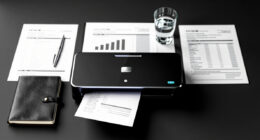

Using digital workflows helps you cut down on paper clutter by digitizing documents, storing files securely in the cloud, and automating routine tasks. You can access important files from any device, organize them easily, and eliminate physical storage needs. Automated reminders and digital reports keep your work organized and on track without sticky notes or printed memos. Continuing to explore these tools will reveal even more ways to streamline your space and boost productivity.
Key Takeaways
- Digitizing physical documents via scanners or mobile apps reduces physical storage needs and clutter.
- Cloud storage centralizes files, making organization and retrieval more efficient.
- Automating workflows minimizes manual handling and paper-based approval processes.
- Digital reminders and alerts help manage deadlines without printed notes or memos.
- Automating reporting and summaries decreases reliance on printed spreadsheets and reports.

Digital workflows have transformed the way you manage tasks and projects by streamlining processes and enhancing productivity. One of the most noticeable benefits is how they help you reduce paper clutter, making your workspace cleaner and more efficient. Instead of sifting through stacks of documents or searching for misplaced files, you can store everything digitally, providing instant access whenever you need it. Cloud storage plays a crucial role here, allowing you to securely save, organize, and retrieve files from any device with an internet connection. This eliminates the need for physical filing cabinets and reduces the risk of losing important documents. With cloud storage, your files are centralized, easy to categorize, and accessible from anywhere, making collaboration seamless and keeping your workspace clutter-free.
Automation tools further enhance your ability to cut down on paper clutter. These tools automate routine tasks like document organization, reminders, and approvals, reducing the need to print or manually handle paperwork. For example, you can set up automated workflows that route digital forms for approval or notify team members of updates via email or messaging apps. Not only does this minimize paper use, but it also accelerates processes, freeing up your time for more essential activities. Automation reduces errors caused by manual data entry or misplaced papers, making your workflow more reliable and efficient.
Transitioning to digital workflows also means you can digitize existing paper documents. Using scanners or mobile apps, you can convert physical files into digital formats and store them securely in your cloud storage. This process declutters your physical space and ensures that all important information is backed up online, protecting it from damage or loss. Additionally, digital files are easier to search through using keywords or filters, saving you time and effort compared to flipping through paper documents.
Another advantage of digital workflows is the ability to set up recurring digital reminders and alerts. These notifications keep you on top of deadlines without relying on physical notes or memos. Plus, with integrated tools, you can automatically generate reports or summaries, reducing the need for printed summaries or spreadsheets. It all adds up to a workspace where paper is minimized, and digital solutions handle the bulk of your documentation and communication needs.

Brother DS-640 Compact Mobile Document Scanner, (Model: DS640)
FAST SPEEDS – Scans color and black and white documents a blazing speed up to 16ppm (1). Color…
As an affiliate, we earn on qualifying purchases.
As an affiliate, we earn on qualifying purchases.
Frequently Asked Questions
How Do I Choose the Best Digital Tools for My Needs?
To choose the best digital tools for your needs, start with a digital tool comparison to see which options fit your requirements. Focus on user interface design—select tools that are intuitive and easy to navigate, so you don’t waste time learning new features. Consider your workflow and compatibility with existing apps. Test a few options, and choose the one that offers seamless integration and enhances your productivity without adding complexity.
What Are the Initial Costs of Transitioning to Digital Workflows?
Think of shifting to digital workflows as planting seeds for growth. Your initial costs mainly include a thorough cost analysis, helping you understand the equipment investment needed, like computers or scanners. Expect expenses for software licenses and potential training. While upfront costs might seem like a mountain, they pave the way for smoother, more efficient workflows. Overall, plan for an investment that pays off through long-term savings and productivity gains.
How Can I Ensure My Digital Data Stays Secure?
To keep your digital data secure, you should implement strong encryption protocols to protect sensitive information and guarantee all data is encrypted both in transit and at rest. Additionally, set strict access controls, like multi-factor authentication and user permissions, so only authorized people can access your data. Regularly update your security software and monitor activity logs to detect and respond to potential threats promptly.
What Training Is Needed for Staff to Adopt Digital Workflows?
You need to develop thorough training programs that focus on digital workflow tools and best practices. Engage employees through hands-on sessions and real-life scenarios to boost their confidence and buy-in. Encourage ongoing learning and provide resources for troubleshooting. By fostering employee engagement, you guarantee staff quickly adopt digital workflows, reducing paper clutter and improving overall efficiency. Regular feedback helps tailor training to meet evolving needs, keeping everyone updated and motivated.
How Do I Maintain Productivity During the Transition?
You can maintain productivity during the shift by establishing a digital detox to minimize distractions and guarantee workflow consistency. Prioritize clear communication, set realistic milestones, and provide ongoing support to your team. Use familiar tools to ease the change, and schedule regular check-ins to address issues promptly. Staying organized and adaptable helps you keep momentum, so your team remains focused and efficient throughout the switch to digital workflows.

Dropbox for Beginners:: Master Cloud Storage, File Sharing, and Collaboration Step-by-Step — A Complete Guide to Using Dropbox for Personal and Business Success
As an affiliate, we earn on qualifying purchases.
As an affiliate, we earn on qualifying purchases.
Conclusion
By embracing digital workflows, you clear away the dense fog of paper clutter, revealing a brighter, more organized horizon. Think of your workspace as a garden; digital tools are the sunlight and water that nurture growth, helping your productivity blossom. As you let go of paper trails, you’ll find your workflow flows smoother—like a river carving a clear path through the landscape. Embrace this change, and watch your efficiency flourish beyond the chaos.

Workflow Automation with Microsoft Power Automate: Use business process automation to achieve digital transformation with minimal code
As an affiliate, we earn on qualifying purchases.
As an affiliate, we earn on qualifying purchases.

Epson RapidReceipt RR-60 Mobile Tax Receipt and Color Document Scanner with Complimentary Data Management Software for PC & Mac
ScanSmart AI PRO Technology — Intelligently convert and extract scanned information into smart digital data – making your…
As an affiliate, we earn on qualifying purchases.
As an affiliate, we earn on qualifying purchases.