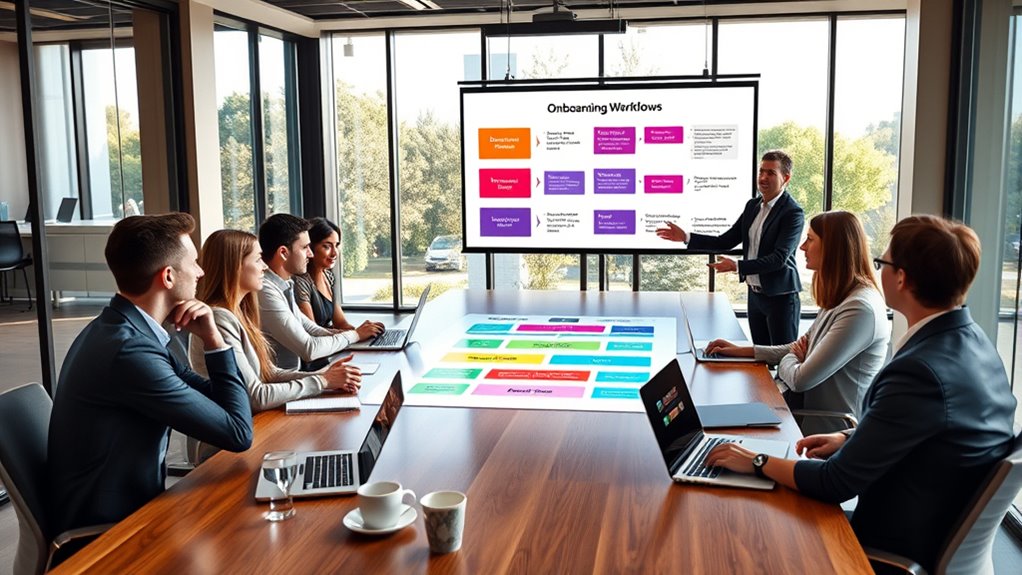

To effectively document onboarding workflows for new employees, you should create clear, step-by-step guides that cover essential tasks like equipment setup, accessing remote training resources, and connecting with team members. Use simple language, visuals, and videos to make instructions easy to follow. Guarantee your documentation is accessible and regularly updated to reflect any changes. Keeping your onboarding process consistent boosts new hire confidence—continue exploring these strategies to optimize your onboarding approach.
Key Takeaways
- Clearly outline each onboarding step, including remote training, equipment setup, and introductions, to ensure consistency.
- Incorporate visuals, videos, and step-by-step instructions to enhance understanding and retention for new hires.
- Use checklists and templates to standardize processes and facilitate easy updates over time.
- Assign responsible personnel and include contact information for support during onboarding phases.
- Regularly review and update documentation to reflect process improvements and organizational changes.

Starting a new job can be overwhelming, but having a well-structured onboarding workflow makes the shift smoother for new employees. One of the most vital components of this process is guaranteeing that remote training is effective and that equipment setup is seamless. When you document your onboarding workflows clearly, you help new hires feel confident and prepared from day one, reducing confusion and frustration.
A well-documented onboarding process eases remote training and equipment setup, boosting new hire confidence from day one.
Remote training should be prioritized early in the onboarding process. You want new employees to access all necessary resources, understand their roles, and grasp company policies even if they’re working from home. To do this, create detailed guidelines that outline how to navigate your e-learning platforms, attend virtual meetings, and connect with mentors or team members. Include step-by-step instructions, links, and schedules to help them stay organized. By documenting these procedures, you guarantee consistency across all new hires, making remote training less intimidating and more engaging. Additionally, incorporating clear visuals and videos can significantly enhance understanding and retention of the onboarding material.
Equipment setup is another vital aspect. You need to provide clear instructions on how to receive, unbox, and set up any hardware or software they’ll need. Your documentation should include checklists for essential items like laptops, monitors, keyboards, and any specialized tools relevant to their role. Specify how and when they’ll receive their equipment, and include troubleshooting tips in case they encounter issues. This proactive approach minimizes delays, prevents technical frustrations, and accelerates their ability to start productive work.
When documenting these workflows, think about accessibility. Use simple language, visuals, and videos to illustrate each step. Include contact information for IT support or onboarding coordinators so new employees know exactly who to reach out to if they hit roadblocks. Regularly review and update these documents to reflect any changes in procedures, tools, or policies. This ongoing process guarantees that your onboarding remains efficient and relevant.

Remote Internship A Complete Guide
As an affiliate, we earn on qualifying purchases.
As an affiliate, we earn on qualifying purchases.
Frequently Asked Questions
How Often Should Onboarding Workflows Be Reviewed and Updated?
You should review onboarding workflows at least twice a year, incorporating feedback loops and conducting process audits to guarantee they’re effective. Regular reviews help you identify gaps, update procedures, and adapt to organizational changes. By actively seeking feedback from new hires and managers, you keep the workflows relevant and efficient. Staying proactive with these updates ensures a smooth onboarding experience and continuous improvement in your onboarding processes.
What Tools Are Best for Documenting Onboarding Processes?
You should use collaborative platforms like Lucidchart or Miro to document onboarding processes, as they support visual diagrams that make workflows clear and easy to follow. These tools enable you to collaborate in real-time, gather feedback, and keep documentation up-to-date. By leveraging visual diagrams within these platforms, you guarantee new hires understand their onboarding steps quickly, streamlining the process and improving overall onboarding experience.
How to Customize Workflows for Different Roles or Departments?
You can customize workflows for different roles or departments by creating role-specific and department-focused onboarding templates. Start by identifying unique tasks and resources for each role, then tailor the steps accordingly. Use flexible tools that allow easy editing and updates. This approach guarantees new hires receive relevant information and support, leading to smoother integrations. Even if roles evolve, regularly revisit and adjust workflows to keep them aligned with current departmental needs.
Who Should Be Responsible for Maintaining Onboarding Documentation?
You should assign ownership and accountability to HR managers or onboarding coordinators to maintain onboarding documentation. They’re responsible for guaranteeing documentation accuracy and keeping workflows up-to-date. Regular reviews and updates should be part of their role to prevent outdated information, streamline onboarding, and support new employees effectively. Clear ownership ensures consistent quality, accountability, and continuous improvement of onboarding processes.
How to Ensure New Employees Understand the Onboarding Procedures?
Think of onboarding as planting a seed; you nurture understanding through mentorship programs that guide new employees, just like sunlight helps a sprout grow. You guarantee they understand procedures by pairing them with mentors and using feedback mechanisms to check progress. Regular check-ins, clear documentation, and open communication act as water, helping knowledge take root. This approach creates a thriving environment where newcomers grow confident and well-informed.
employee equipment setup guide
As an affiliate, we earn on qualifying purchases.
As an affiliate, we earn on qualifying purchases.
Conclusion
By documenting your onboarding workflows, you create a seamless experience that helps new employees feel welcomed and confident from day one. Imagine Sarah, a new hire, feeling overwhelmed on her first day—until your clear onboarding process guides her effortlessly into her role. When you streamline onboarding, you not only boost productivity but also foster loyalty. So, take the time to perfect your workflows—you’ll see new team members thrive and your company grow stronger.

Your Competition Handgun Training Program: A complete training program designed for the practical shooter.
As an affiliate, we earn on qualifying purchases.
As an affiliate, we earn on qualifying purchases.
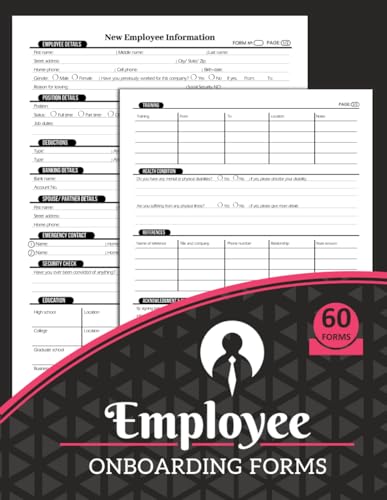
Employee Onboarding Forms: New Hire Information Sheets | Collect Staff Data on First Day of Work | 60 Forms, 124 Two-Sided Pages
As an affiliate, we earn on qualifying purchases.
As an affiliate, we earn on qualifying purchases.