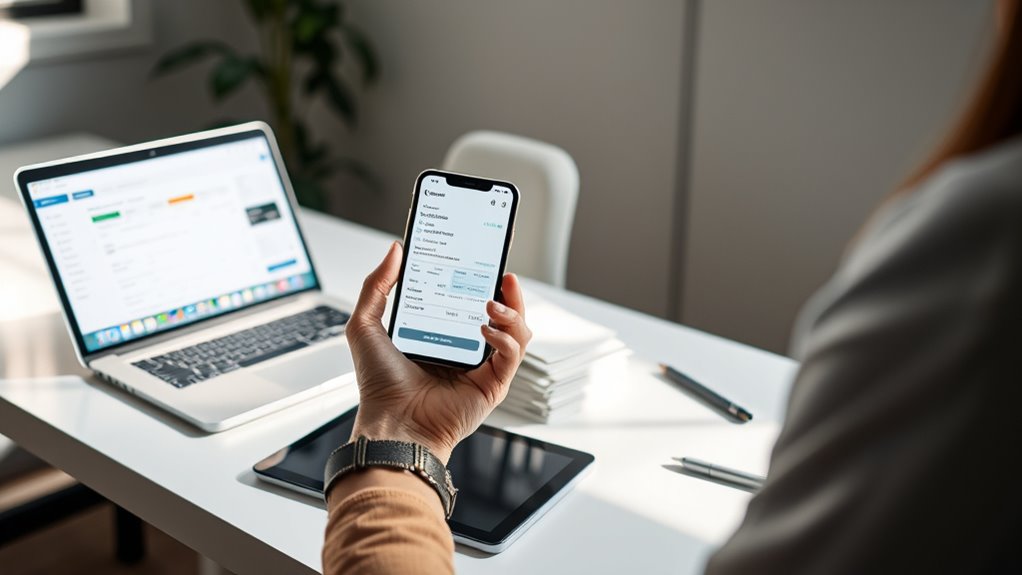

To manage digital receipts effectively, use dedicated apps that automatically capture and organize your receipts from email, cloud storage, or photos. Create clear workflows by filing receipts immediately and categorizing them by date, vendor, or expense type. Leverage OCR technology to make your receipts searchable and reduce manual sorting. Regularly clean and back up your archive to stay organized and secure. Continue exploring to discover powerful tips that keep your finances streamlined and paperless.
Key Takeaways
- Choose dedicated receipt management apps like Expensify, Shoeboxed, or Evernote to automate scanning and organizing.
- Implement workflows that immediately file receipts into categorized folders using labels for quick retrieval.
- Utilize OCR technology within apps to convert receipts into searchable digital data, streamlining expense tracking.
- Regularly review and clean your digital archive to delete duplicates and outdated receipts, maintaining efficiency.
- Back up all stored receipts to cloud services for secure, cross-device access and seamless digital record keeping.

Digital receipts have become a convenient alternative to paper, but managing them efficiently is vital to avoid clutter and confusion. When your inbox and storage folders fill up with countless digital copies, it’s easy to lose track of important purchases or spend extra time hunting for receipts when needed. That’s why mastering receipt organization is indispensable for maintaining a clear, streamlined financial overview. You want your digital archiving system to work seamlessly, allowing you to access receipts quickly and securely whenever you need them.
Digital receipt management is essential for a clutter-free, efficient financial overview.
To start, you should choose a dedicated app or platform designed for receipt management. These tools often offer automatic receipt capturing, where your phone scans and saves the details directly from your email, cloud storage, or photo gallery. With effective receipt organization, you can categorize receipts by date, vendor, or expense type, making future retrieval straightforward. Many apps also allow you to add tags or notes, which helps further refine your system and locate specific receipts faster. Remember, consistency is key—develop a habit of filing receipts immediately after a purchase to prevent them from slipping through the cracks.
Digital archiving isn’t just about saving receipts; it’s about creating a reliable, searchable repository. Cloud-based solutions are popular because they offer accessibility across devices and safeguard your data against loss. When you set up your digital archiving process, make sure that you back up your receipts regularly and organize them into folders or labels that make sense to you. For example, you might have separate folders for business expenses, personal shopping, or travel receipts. This way, when tax season arrives or you need to verify a purchase, you can locate the exact document without sifting through hundreds of files.
Another tip is to leverage OCR (Optical Character Recognition) technology integrated into many receipt management apps. OCR converts the text on receipts into editable, searchable data, making it easier to find specific transactions by keyword, date, or vendor. This feature enhances your digital archiving efforts, reducing the time spent manually sorting through receipts. Be sure to review and clean up your archive periodically, deleting duplicates or outdated items to keep your digital storage lean and efficient. Additionally, understanding the importance of receipt organization can help prevent clutter and improve your overall financial management.

Epson RapidReceipt RR-600W Wireless Desktop Color 2-Sided Document & Tax Receipt Scanner with ScanSmart AI PRO Data Management Software for PC & Mac Touchscreen & 100-Page Auto Document Feeder
ScanSmart AI PRO Technology — Intelligently convert and extract scanned information into smart digital data – making your…
As an affiliate, we earn on qualifying purchases.
As an affiliate, we earn on qualifying purchases.
Frequently Asked Questions
How Secure Are Digital Receipt Storage Methods?
Digital receipt storage methods are generally secure when they follow strong encryption standards, safeguarding your data from unauthorized access. Reputable apps invest in data breach prevention measures, like regular security updates and secure servers, reducing risks. However, no system is completely foolproof. You should choose trusted providers, enable two-factor authentication, and regularly monitor your accounts to ensure your digital receipts stay safe from potential threats.
Can Digital Receipts Be Automatically Categorized?
Think of your digital receipts as a cluttered attic, and AI categorization as a skilled organizer. Yes, digital receipts can be automatically categorized through AI-powered sorting. These tools analyze details like vendor, date, and amount, then sort receipts into folders or labels. This automatic sorting saves you time, keeps your finances tidy, and helps you find receipts easily whenever you need them.
What Are the Best Apps for Small Business Digital Receipts?
You should consider apps like Expensify, Receipt Bank, and Zoho Expense for small business digital receipts. These apps excel at receipt organization and seamlessly integrate with accounting software, making your workflow smoother. They automatically categorize your receipts, saving you time. With user-friendly interfaces and strong app integration, these tools help you stay organized and guarantee your financial records are accurate and easy to access.
How Long Should Digital Receipts Be Retained Legally?
You should retain digital receipts for at least seven years to guarantee legal compliance and support digital archiving requirements. This period aligns with tax laws in many countries, helping you verify expenses and deductions if needed. Keep your receipts secure and organized within your digital filing system to easily access them during audits or financial reviews, ensuring your records meet legal standards and support your business’s financial integrity.
Are There Costs Associated With Managing Digital Receipts?
Imagine a digital vault where your receipts reside—managing this might come with cost implications. You could face fees for premium features, cloud storage, or an ongoing user subscription. While many apps offer free tiers, expanding storage or gaining access to advanced tools often costs extra. So, consider your needs carefully; investing in a reliable app guarantees smooth, paperless finance, but be aware of any associated expenses that come with maintaining your digital receipt system.

Brother DS-640 Compact Mobile Document Scanner, (Model: DS640)
FAST SPEEDS – Scans color and black and white documents a blazing speed up to 16ppm (1). Color…
As an affiliate, we earn on qualifying purchases.
As an affiliate, we earn on qualifying purchases.
Conclusion
By mastering digital receipts, you can turn your chaotic paper piles into a sleek, unstoppable financial fortress. No more lost receipts, no more clutter—just a seamless system that’s so efficient, it’s like having a personal accountant in your pocket. Embrace the digital revolution now, or risk drowning in a sea of paper forever. The choice is yours: streamline your finances or be forever buried in an avalanche of paper. The future’s digital—are you ready?

Basic Income and Expense Tracker (Excel based)
An Excel spreadsheet to track of income and expenses
As an affiliate, we earn on qualifying purchases.
As an affiliate, we earn on qualifying purchases.

Nicecho Receipt Coupon Organizer, 13 Pockets Small Accordion File Organizer with Labels for Receipt Cards, Bill Business, Coupons Storage, 10.2X 5.1 Inches
【HIGH CAPACITY】Product size is 10.2*5.1inch. 13 individual pockets, maximum 350 sheets of coupon. it is large enough to…
As an affiliate, we earn on qualifying purchases.
As an affiliate, we earn on qualifying purchases.