

To organize digital textbooks and course materials effectively, use built-in highlighting and note-taking tools to mark key concepts and add personal annotations. Focus on highlighting important ideas without overdoing it to keep your content clear and manageable. Create a system for labeling and categorizing notes to find information quickly. Visual cues like highlights and notes help you review efficiently. Keep your digital resources structured, and you’ll improve your study sessions—continue to explore ways to maximize your organization skills.
Key Takeaways
- Use dedicated folders and consistent naming conventions to categorize and easily locate chapters, topics, and resources.
- Employ digital highlighting to mark key concepts, definitions, and important details for quick retrieval.
- Add personalized notes or annotations alongside highlights to provide context and streamline review sessions.
- Utilize integrated note-taking tools within e-reading platforms for organized, searchable comments and summaries.
- Regularly review and update your digital organization system to maintain clarity and enhance study efficiency.
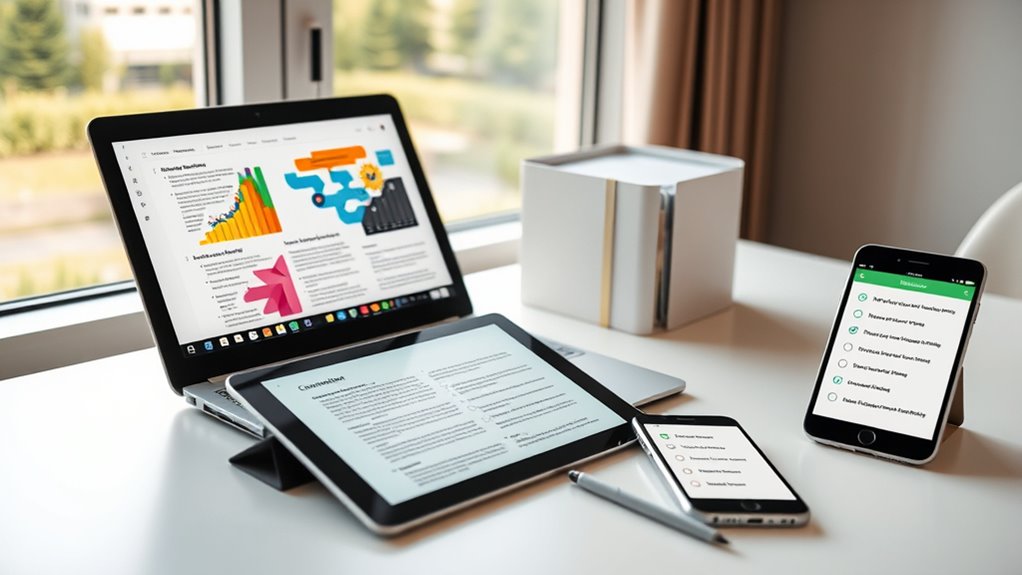
Have you ever struggled to find a specific chapter or resource in your digital textbooks and course materials? If so, you’re not alone. Digital content can quickly become overwhelming without proper organization. One effective way to manage this is by highlighting key sections as you study. Highlight important concepts, definitions, or examples directly in your digital texts. This simple step makes it easier to locate critical information later, especially during review sessions or when preparing for exams. Instead of sifting through pages or scrolling endlessly, your highlighted sections serve as visual cues, guiding you straight to the core material. Be selective with your highlighting—focus on main ideas and essential details to avoid clutter. Over-highlighting diminishes its usefulness, making it harder to distinguish essential information from less important content.
In addition to highlighting, integrating note taking tools into your digital textbooks can substantially boost your organization. Many e-reading platforms and apps offer built-in note features, allowing you to add comments, annotations, or summaries directly within the material. This tight integration means you can annotate as you read, making your notes context-specific and easy to review later. For example, you might jot down questions in the margins or underline key points while reading a chapter. When reviewing, these notes act as personalized guides, reinforcing your understanding and helping you focus on areas that need extra attention. Using note taking tools in tandem with highlighting creates a dynamic study environment, enabling you to customize your learning process. Additionally, adopting digital organization techniques can streamline your study sessions and improve retention.
digital textbook highlighting and annotation tools
As an affiliate, we earn on qualifying purchases.
As an affiliate, we earn on qualifying purchases.
Frequently Asked Questions
How Can I Secure My Digital Textbook Files From Unauthorized Access?
To secure your digital textbook files from unauthorized access, you should use password protection and encryption methods. Set strong, unique passwords for each file or folder, and enable encryption to protect the data from hackers. Regularly update your passwords and software, and consider using secure cloud storage services with built-in security features. These steps help guarantee your files stay private and safe from unauthorized viewers.
What Tools Are Best for Annotating and Highlighting Digital Textbooks?
Imagine a pen gliding across a page—highlighting tools and annotation apps bring that experience to your digital textbooks. You should try tools like Adobe Acrobat, Kami, or Hypothes.is, which offer seamless highlighting and annotation features. These apps make studying interactive and efficient, letting you mark important sections, add notes, and organize thoughts effortlessly. With the right tools, your digital reading becomes as engaging as pen on paper.
How Do I Synchronize Course Materials Across Multiple Devices?
You can synchronize your course materials across multiple devices by using cloud storage services like Google Drive, Dropbox, or OneDrive. These platforms automatically sync your files, ensuring you have access on all your devices. Simply upload your textbooks and notes to the cloud, then install the app on each device. Enable device synchronization, and you’ll have seamless access and updates everywhere, making studying more efficient and organized.
Are There Recommended Backup Strategies for Digital Course Content?
Imagine your digital course content as a treasure chest, always protected and accessible. You should use cloud backup to automatically save your files securely online, preventing data loss. Implement version control to track changes and revert to previous versions if needed. By combining cloud backup and version control, you guarantee your materials are safe, organized, and easily recoverable across all your devices, giving you peace of mind and continuous access.
How Can I Efficiently Search Within Large Collections of Digital Textbooks?
You can efficiently search within large collections of digital textbooks by utilizing keyword indexing, which organizes your content based on key terms, making searches faster. Additionally, use advanced search features available in most e-reader platforms or document management systems; these tools allow you to filter results by author, title, or specific phrases. Combining keyword indexing with advanced search options helps you find specific information quickly and effortlessly.

Shelly Cashman Microsoft Office 2016: Introductory
As an affiliate, we earn on qualifying purchases.
As an affiliate, we earn on qualifying purchases.
Conclusion
By staying organized, you can save up to 30% of your study time, making your learning more efficient. Keep your digital textbooks and course materials neatly sorted with folders, tags, or apps to avoid wasting valuable time searching. Remember, a well-organized system doesn’t just boost productivity—it reduces stress and helps you stay focused. So, take a few minutes today to set up your digital materials; your future self will thank you!

Expandable Folder with Multi-Layer Tabs,A4/Letter Size,Keeps Documents Dry and Organized,Portable Storage Box Ideal for Bills,Receipts,Office Supplies and Study Materials (25 Layers)
Multi-layer accordion design for ultimate organization: Features multiple expandable pockets to categorize and store A4/letter-sized documents, bills, receipts,…
As an affiliate, we earn on qualifying purchases.
As an affiliate, we earn on qualifying purchases.
secure cloud storage for textbooks
As an affiliate, we earn on qualifying purchases.
As an affiliate, we earn on qualifying purchases.