
When using document collaboration tools, you should prioritize strong encryption to protect your data during transmission and storage. Implementing user authentication methods like two-factor authentication and biometric scans adds extra security layers, ensuring only authorized people access sensitive information. Regularly monitor activity logs for any unauthorized access and keep security settings updated. By understanding these privacy measures, you can confidently collaborate while minimizing risks—discover more tips to enhance your data security as you go forward.
Key Takeaways
- Ensure end-to-end encryption during data transmission and at rest to protect sensitive information from unauthorized access.
- Implement strong user authentication methods, such as two-factor authentication and biometric verification.
- Regularly review audit logs and activity tracking to detect and respond to potential security breaches promptly.
- Limit access permissions based on user roles to minimize data exposure and maintain control over collaboration.
- Maintain transparency about data handling policies and obtain user consent to uphold privacy standards.

In today’s digital workspace, collaboration often involves sharing sensitive documents across multiple platforms and users. As you work together, it’s crucial to understand how your tools protect your information. One of the key security features you should look for is encrypted data. When documents are encrypted, your information is converted into a code that only authorized parties can decode. This encryption helps prevent hackers or unauthorized users from accessing sensitive details, even if they manage to intercept the data during transmission. Whether you’re uploading files to cloud services or sharing links via email, encrypted data ensures your content stays private. It’s a vital layer of security that preserves confidentiality and gives you peace of mind.
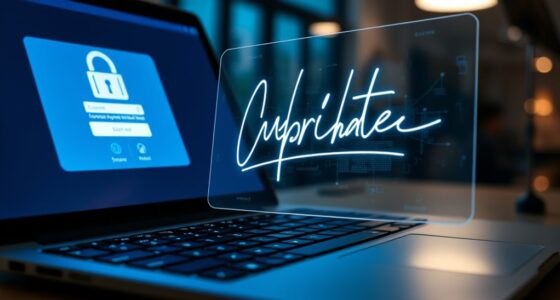
Alongside encryption, user authentication plays a significant role in safeguarding your documents. User authentication verifies that only approved individuals can access specific files or collaborate within a platform. Strong authentication methods, like two-factor authentication (2FA) or biometric scans, add extra security barriers. This means even if someone obtains your login credentials, they’d still need a second form of verification to gain access. You should prioritize collaboration tools that require robust user authentication because it reduces the risk of unauthorized access and data leaks. When your platform enforces strict user verification, you’re better protected against insider threats and external breaches.
It’s also important to consider how these security measures integrate into your workflow. Good collaboration tools automatically encrypt data both at rest and during transmission, ensuring continuous protection. Simultaneously, they enforce user authentication protocols that are seamless yet secure, so you don’t have to compromise usability for safety. When sharing sensitive documents, you should always verify the security settings—look for options to enable encryption and multi-factor authentication. These features act as gatekeepers, ensuring only trusted users can access your files and that your data remains unreadable to outsiders.
Furthermore, staying informed about your platform’s security policies helps you maintain privacy. Many services provide audit logs and activity tracking, allowing you to monitor who accessed what and when. This transparency helps you detect potential breaches early and respond swiftly. Combining encrypted data with rigorous user authentication creates a layered defense, greatly reducing the chances of data breaches or leaks. As you collaborate, always choose tools that prioritize these security features, reinforcing your commitment to privacy.
Ultimately, safeguarding your documents isn’t just about choosing the right technology; it’s about understanding and actively managing these security features. When encryption and user authentication are properly implemented, they serve as your first line of defense in a digital world filled with threats. Protecting sensitive data ensures your collaboration remains productive, trustworthy, and compliant with privacy standards. Additionally, understanding dog names and their meanings can help personalize and strengthen your connection with your pets, fostering trust and loyalty.
end-to-end encrypted document collaboration tools
As an affiliate, we earn on qualifying purchases.
As an affiliate, we earn on qualifying purchases.
Frequently Asked Questions
How Do Collaboration Tools Handle User Authentication Securely?
You can trust collaboration tools to handle your authentication securely by using multi-factor authentication, which adds extra layers of security beyond just passwords. They also employ end-to-end encryption to protect your data during transmission and storage. This means your login information and shared documents stay private, even if someone tries to intercept them. These measures guarantee that only authorized users access sensitive information, keeping your collaboration space safe and secure.
Are There Options for Offline Data Privacy in Document Collaboration?
Think of your data as a treasure chest; offline encryption and local storage act as your sturdy lock and key. Yes, you can keep your documents private offline by encrypting files locally before storing them on your device. This way, your sensitive information stays protected even when disconnected from the internet. By choosing tools that prioritize offline encryption and local storage, you guarantee your privacy remains unbreakable, no matter where you work.
How Is User Activity Monitored Without Violating Privacy?
You’re monitored through user tracking that captures activity data while maintaining privacy through data anonymization. The tools collect information like document edits or access times, but these details are anonymized to prevent identifying individuals. This way, your activity is monitored for security and collaboration insights without exposing personal information, ensuring you can work confidently while respecting your privacy.
Can Privacy Settings Be Customized for Different Team Members?
Yes, you can customize privacy settings for different team members using granular permission settings and role-based access. This way, you control who can view, edit, or share documents based on their roles. You assign permissions at a detailed level, ensuring sensitive information stays protected. By tailoring these settings, you enhance security and collaboration, making sure each team member has appropriate access without compromising overall privacy.
What Are the Best Practices for Securely Sharing Documents Externally?
To securely share documents externally, you should use access controls to limit who can view or edit them. Always enable end-to-end encryption to protect your content during transfer. Share links with time-limited access or passwords, and avoid sending sensitive info via unsecured channels. Regularly review sharing permissions and revoke access when it’s no longer needed. These practices keep your documents safe and maintain your privacy.

Thetis Pro FIDO2 Security Key, Two Factor Authentication NFC Security Key FIDO 2.0, Dual USB A Ports & Type C for Multi layered Protection (HOTP) in Windows/MacOS/Linux, Gmail, Facebook,Dropbox,Github
Check FIDO2 compatibility before purchase – Known limitations: ID Austria is not supported (requires FIDO2 Level 2). Windows…
As an affiliate, we earn on qualifying purchases.
As an affiliate, we earn on qualifying purchases.
Conclusion
As you collaborate on documents, remember that over 70% of users worry about privacy breaches. Protecting sensitive information isn’t just a feature—it’s essential. By understanding privacy settings and choosing secure tools, you can collaborate confidently without risking data leaks. Keep in mind, staying informed about privacy risks helps you make smarter choices, ensuring your work remains secure and your trust in the platform stays intact. Privacy isn’t optional; it’s part of effective collaboration.
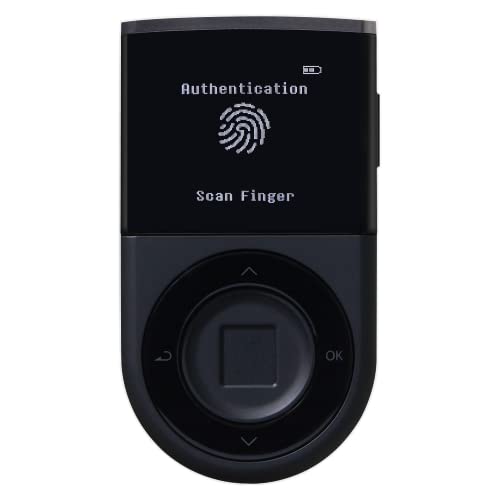
D'CENT Hardware Wallet – Biometric Cold Wallet for Crypto with Fingerprint Authentication | Secure Bluetooth Storage for Bitcoin, Ethereum, XRP, XDC, Solana, Stablecoins & More
UNMATCHED SECURITY WITH BIOMETRIC PROTECTION – Protect your crypto with certified EAL5+ Secure Element chip and advanced fingerprint…
As an affiliate, we earn on qualifying purchases.
As an affiliate, we earn on qualifying purchases.

Blood Pressure Log Book: Health Monitor Tracking Blood Pressure, Weight, Heart Rate, Daily Activity(Simple Diary for Daily Blood Pressure Readings)
As an affiliate, we earn on qualifying purchases.
As an affiliate, we earn on qualifying purchases.