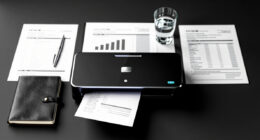
To organize your legal paperwork at home, create a digital filing system by scanning important documents like wills, contracts, and deeds. Save these files in clearly labeled folders on your computer or a secure cloud platform, categorizing them by type or date. Use strong passwords and encryption to protect sensitive files, and regularly update and review your system. Continuing further, you’ll discover how to enhance your document security and maintain your files effectively.
Key Takeaways
- Scan and store legal documents digitally in clearly labeled folders by category and date.
- Use secure cloud platforms with encryption and password protection for easy access and safety.
- Organize files into categories like “Personal,” “Financial,” and “Property” for quick retrieval.
- Keep physical copies in a fireproof safe and store encrypted external drives off-site for backup.
- Regularly review and update digital files to ensure accuracy, security, and proper access control.

Managing legal paperwork can feel overwhelming, but staying organized is essential to avoid stress and ensure you’re prepared for any situation. One effective way to do this is by setting up a digital filing system. Moving from paper to digital documents allows you to access important files quickly and reduces clutter in your home. Start by scanning your essential legal documents—wills, contracts, property deeds, insurance policies, and medical records—using a quality scanner or mobile app. Save these files in clearly labeled folders on your computer or cloud storage platform. This not only helps you locate documents swiftly but also creates a backup in case the physical copies are lost or damaged. When choosing a digital filing system, prioritize platforms that offer robust document security features. Look for services that provide encryption, password protection, and regular backups to safeguard sensitive information. This way, your legal paperwork remains private and protected against cyber threats or physical disasters.
Organize legal files digitally with secure, labeled folders for quick access and peace of mind.
Creating a structured approach to organizing your legal documents is essential. Use categories that make sense to you—such as “Personal,” “Financial,” “Property,” and “Medical.” Within each category, further organize files by date or document type. For instance, in the “Financial” folder, keep tax returns, bank statements, and investment documents separate but easy to find. Incorporating organized filing systems can streamline your document retrieval process and save you time during emergencies. Consistently updating and maintaining this system ensures your files stay current and accessible. Remember, digital filing is not a one-and-done task; it requires ongoing effort to scan new documents and update existing ones.
Incorporating document security into your routine is just as important as organizing. Regularly review your digital files to make sure they’re protected and that access is limited to trusted individuals. Use strong, unique passwords for your cloud storage accounts and enable two-factor authentication when available. For added security, consider encrypting sensitive files or using password-protected archives. Additionally, keep physical copies of the most critical documents in a safe, fireproof box, and consider keeping a small, encrypted external drive with copies of your most vital files stored off-site. By combining digital filing with stringent document security practices, you minimize the risk of losing essential legal paperwork or exposing sensitive information.
Staying organized with your legal documents doesn’t have to be complicated. With a well-structured digital filing system and diligent focus on document security, you’ll find it easier to manage your legal paperwork and respond quickly when needed. This proactive approach ensures you’re always prepared, reduces stress, and keeps your important documents safe and accessible.

Epson WorkForce ES-50 Portable Sheet-Fed Document Scanner for PC and Mac
Fastest and lightest mobile single sheet fed document scanner in its class(1) small, portable scanner ideal for easy,…
As an affiliate, we earn on qualifying purchases.
As an affiliate, we earn on qualifying purchases.
Frequently Asked Questions
How Often Should I Review My Legal Files?
You should review your legal files at least once a year to make certain everything is current and accurate. Set up a regular file review schedule, like annually or semi-annually, for document updates and to check for any changes in your legal situation. During these reviews, update important documents and reorganize files as needed. Consistent reviews help you stay prepared and avoid missing critical legal deadlines or updates.
What Should I Do With Outdated Legal Documents?
You should securely dispose of outdated legal documents to protect your privacy. Follow proper document disposal practices, such as shredding sensitive papers, to prevent identity theft. For documents still relevant, store them according to storage guidelines—preferably in a fireproof, organized folder or safe. Regularly review and update your files to guarantee outdated documents are disposed of promptly, maintaining a clutter-free and secure legal file system at home.
Are Digital Copies Legally Acceptable for Important Documents?
Yes, digital copies are legally acceptable for important documents if they meet digital authentication standards. Make certain your scans are clear, unaltered, and properly stored using secure platforms. Some documents, like wills or titles, may require original signatures or specific formats for legal validity. Always check local laws or consult a legal professional to confirm that your digital copies meet the legal validity criteria for your particular documents.
How Can I Secure My Sensitive Legal Information at Home?
Think of your legal documents as treasures; you want to keep them under lock and key. You secure your sensitive information by using strong password protection on digital files and encrypting them. For paper copies, invest in a fireproof, lockable safe or secure storage cabinet. Avoid leaving important documents in obvious places, and regularly update your passwords to stay one step ahead of potential threats.
What’s the Best Way to Organize Legal Paperwork for Multiple Family Members?
To organize legal paperwork for multiple family members, create a family filing system with clearly labeled folders for each person. Use shared document access through secure digital platforms for easy updates and collaboration, ensuring everyone can view or add documents as needed. Keep physical copies in a designated, secure location, and regularly review and update files to maintain organization and security for all family members’ legal records.

DocSafe 5200°F Document Organizer with Lock, Upgraded Heat Insulated Fireproof&Water-Resistant Box 8 Layers File Organizer, Portable Home Travel Safe Storage for Important Documents and More
5200°F Fireproof&Water-resistant safe: The Upgraded important document organizer is made of thickened silicone coated fireproof cotton material and…
As an affiliate, we earn on qualifying purchases.
As an affiliate, we earn on qualifying purchases.
Conclusion
Organizing your legal paperwork at home might seem overwhelming, but it’s worth the effort. Did you know that 21% of adults have trouble locating important documents when they need them? Taking a few simple steps now can save you stress and time later. Keep your files in order, label everything clearly, and review periodically. Staying organized not only protects your future but provides peace of mind—you’ll thank yourself when it counts most.

Seagate One Touch, 2TB, Password activated hardware encryption, portable external hard drive, portable external hard drive, PC, Notebook & Mac, USB 3.0, Black (STKY2000400)
This external drive includes a USB cable that works seamlessly with Windows, Mac, and Chromebook laptops (purchase adapter…
As an affiliate, we earn on qualifying purchases.
As an affiliate, we earn on qualifying purchases.

SSK 4TB Personal Cloud Network Attached Storage Support Wireless Remote Access, Home Office NAS Storage with 4T Hard Drive Included for Phone, Tablet, Laptop Auto-Backup, Wired Ethernet Only,No WiFi
Your personal cloud storage with 4TB large capacity doesn't have own WIF: This NAS built-in 3.5inch 4TB storage,…
As an affiliate, we earn on qualifying purchases.
As an affiliate, we earn on qualifying purchases.