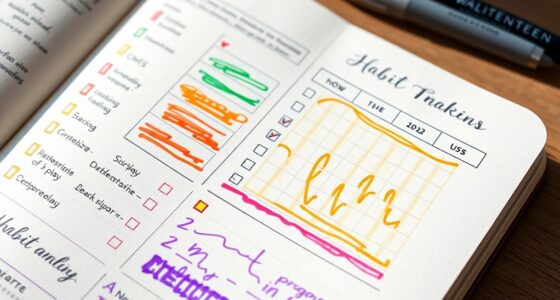

Digital bullet journaling apps and tools give you a flexible, personalized way to organize your life. You can customize layouts, add multimedia like images and videos, and connect with calendars or task apps for seamless planning. These platforms let you experiment with different styles, easily modify pages, and bypass the mess of physical supplies. Stay tuned to discover how these features can help transform your daily planning and boost your productivity.
Key Takeaways
- Many apps offer customizable layouts, themes, and templates for personalized bullet journaling experiences.
- Integration with calendars, task managers, and cloud services streamlines planning and automation.
- Users can embed multimedia like images, videos, and voice notes to enrich journal entries.
- Digital tools allow easy editing, duplication, and layout switching to adapt journals over time.
- They provide a mess-free, versatile alternative to physical journals with enhanced flexibility and functionality.

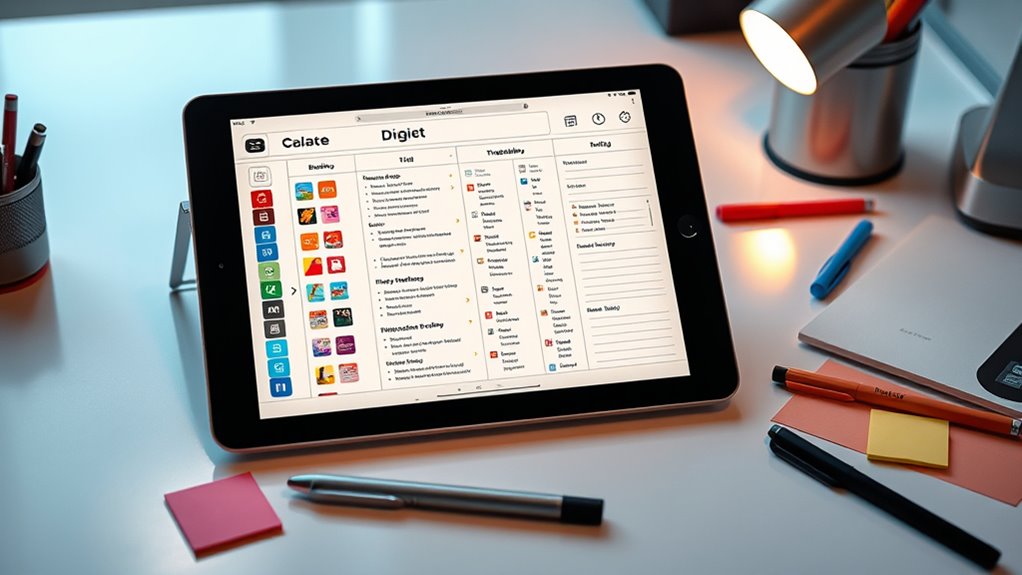
In today’s fast-paced world, digital bullet journaling apps and tools have become essential for staying organized and productive. These tools offer a level of digital customization that traditional paper journals simply can’t match. You can tailor layouts, themes, and structures to suit your unique planning style, making your journal more personal and effective. Whether you prefer minimalistic designs or vibrant, detailed pages, digital apps allow you to effortlessly switch between styles without the mess or hassle of physical supplies. This flexibility helps you stay motivated and engaged with your planning process.
Digital bullet journaling apps offer customizable layouts and themes that keep your planning flexible and engaging.
Another major advantage is the seamless app integrations available within many digital journaling platforms. You can connect your journal with calendars, task managers, note-taking apps, and even cloud storage services. These integrations automate routine tasks, sync your appointments, and streamline your workflow, saving you time and mental energy. For example, if you schedule an event in your calendar app, it can automatically appear in your journal, ensuring you never miss an important date. Similarly, integrating your to-do list apps allows you to track tasks across platforms, giving you a consolidated view of your responsibilities. This interconnectedness makes managing your life more straightforward and less fragmented.
Digital customization extends beyond aesthetics; it also enhances functionality. You can incorporate multimedia elements like images, videos, and voice notes directly into your journal entries. This feature is especially useful if you’re a visual learner or want to embed relevant content for quick reference. Plus, many apps offer customizable templates for habit trackers, mood logs, or project planning, enabling you to create a tailored system that grows with your needs. You’re not confined to rigid structures—you’re empowered to design a journaling experience that fits your workflow perfectly.
Furthermore, the ability to easily duplicate, modify, or delete pages means your journal can evolve without waste or frustration. If a layout isn’t working, you can quickly switch it out for a new one. You can also experiment with different formats—daily logs, weekly overviews, or goal trackers—without cluttering your space or losing previous entries. This adaptability encourages a more dynamic approach to planning, where you can refine your system over time without starting from scratch each time. Incorporating digital tools with versatile features makes it easier to adapt and optimize your journaling process as your needs change.

Epson Workforce ES-580W Wireless Color Duplex Tax Receipt & Desktop Document Scanner for PC and Mac with 100-sheet Auto Feeder (ADF), Intuitive 4.3' Touchscreen
EFFORTLESS WIRELESS SCANNING – With a 4.3" touchscreen and wireless connectivity, this high-speed scanner sends scans straight to...
As an affiliate, we earn on qualifying purchases.
Frequently Asked Questions
Can Digital Bullet Journals Replace Paper Journals Completely?
Digital bullet journals can replace paper journals for many, but they might not fully satisfy your need for digital handwriting and the analog appeal. You may find digital tools more convenient and adaptable, yet the tactile experience of writing on paper offers a unique charm. Ultimately, it depends on your preferences—if you crave the sensory feel and simplicity, paper might still hold a special place in your journaling routine.
Are Digital Journaling Apps Compatible With All Devices?
Like a chameleon shifting colors, digital journaling apps adapt across devices. They’re generally compatible with most modern gadgets, ensuring your thoughts flow seamlessly. You can enjoy device compatibility and cross-platform syncing, so your journal stays in sync whether you’re on a tablet, phone, or computer. While some apps may have limitations, many are designed to work smoothly across various platforms, making your journaling experience both flexible and effortless.
How Secure Is My Data in Digital Journaling Apps?
Your data security in digital journaling apps depends on the app’s privacy measures. While many use data encryption to protect your information, privacy concerns still exist, especially if the app stores data in the cloud. To keep your data safe, choose apps with strong encryption and clear privacy policies. Regularly update your app, use strong passwords, and avoid sharing sensitive information to enhance your security.
Can I Customize Templates in Digital Bullet Journaling Tools?
Yes, you can customize templates in digital bullet journaling tools, giving you the freedom to craft your perfect canvas. Think of template customization as a gentle brushstroke on a blank slate, allowing your ideas to flow freely. With design flexibility at your fingertips, you can adjust layouts, colors, and elements to match your style. This way, your digital journal truly reflects your personality and evolving needs.
Do Digital Apps Support Collaboration With Others?
Yes, digital apps support collaboration with others. You can enjoy real-time editing, allowing multiple users to update your journal simultaneously. Many apps also offer shared templates, making it easy to work together on planning and organizing. This feature helps streamline teamwork, whether you’re managing projects or sharing goals. So, you can easily stay connected and maintain synchronized journals with your friends, family, or colleagues.

Epson WorkForce ES-50 Portable Sheet-Fed Document Scanner for PC and Mac
Fastest and lightest mobile single sheet fed document scanner in its class(1) small, portable scanner ideal for easy,...
As an affiliate, we earn on qualifying purchases.
Conclusion
Digital bullet journaling apps and tools make organizing your ideas easier and more flexible. They help you stay productive by offering visual ways to track goals, tasks, and thoughts. By exploring these tools, you can find the perfect fit for your style and needs. Remember, the key is consistency. With the right app, you’ll turn your ideas into clear, visual representations that boost your creativity and keep you motivated every day.

Epson Workforce ES-400 II Color Duplex Desktop Document Scanner for PC and Mac with Auto Doc Feeder (ADF), Image Adjustment Tools
FAST DOCUMENT SCANNING – Speed through stacks with the 50-sheet Auto Document Feeder, perfect for office scanning and...
As an affiliate, we earn on qualifying purchases.

ScanSnap iX2500 Wireless or USB High-Speed Cloud Enabled Document, Photo & Receipt Scanner with Large 5" Touchscreen and 100 Page Auto Document Feeder for Mac or PC, Black
OUR MOST ADVANCED SCANSNAP. Large touchscreen, fast 45ppm double-sided scanning, 100-sheet document feeder, Wi-Fi and USB connectivity, automatic...
As an affiliate, we earn on qualifying purchases.