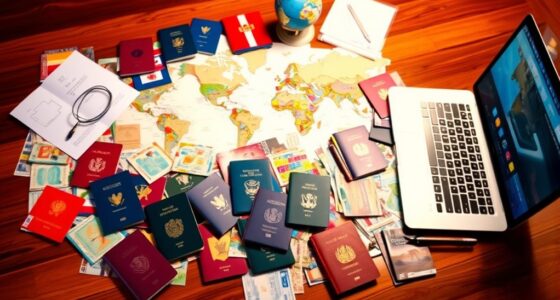

Organizing travel documents for families and groups starts with creating a clear checklist of all essential files like passports, visas, tickets, and insurance. Digitize these documents and store them securely in cloud folders, making sure everyone has access. Keep track of expiry dates and update files regularly. Using password protection and sharing access with trusted members helps keep information secure. For more tips on maintaining an efficient system, continue exploring effective strategies.

Prime made for students and young adults
- Fast, free delivery for dorm and study essentials
- Prime Video and Amazon Music included
- Member-only deals
Key Takeaways
- Create shared cloud folders for all group members to access and update essential travel documents securely.
- Use clear naming conventions and categorize documents by trip stage or type for quick retrieval.
- Digitize passports, visas, and insurance, and ensure multiple backup copies are stored across different platforms.
- Set up reminders for expiry dates and renewal deadlines to stay updated on all critical documents.
- Protect sensitive files with encryption or password protection and limit access to trusted group members.

When you’re preparing for a trip, having an organized system for your travel documents can make the entire process much smoother. Whether you’re traveling with family or in a group, managing multiple sets of documents can quickly become overwhelming. That’s where digital storage comes in. Scanning important papers—passports, IDs, travel itineraries, vaccination records, and hotel confirmations—and saving them securely online lets you access everything from your phone or tablet anytime, anywhere. This not only reduces the risk of losing hard copies but also makes sharing documents with travel companions effortless. Creating a dedicated folder or cloud-based system ensures that each essential document is stored systematically, so you can find what you need without sifting through piles of paper.
Organize your travel documents digitally for easy access, sharing, and stress-free trip preparation.
To keep everything organized, start with thorough document checklists tailored to your trip. List out every item you might need: passports, visas, travel insurance info, flight tickets, hotel reservations, rental car confirmations, and emergency contacts. As you gather each item, check it off your list. This step prevents last-minute surprises and ensures every critical document is accounted for well before departure. When you have a clear checklist, you can focus on digitizing and storing each item in your digital storage. Group related documents together—like all travel tickets in one folder and health documents in another—so you can quickly locate what’s necessary at each stage of your trip.
Using digital storage also makes it easier to update documents and keep track of expiry dates. For instance, if a passport or visa is close to expiration, you’ll be alerted early enough to renew it before traveling. Additionally, you can keep multiple copies of important documents in different cloud accounts or devices, providing backup if one source becomes inaccessible. Sharing access with travel partners is straightforward with digital storage, so everyone has the necessary information at their fingertips. This reduces confusion during check-ins or emergencies, as everyone can verify details without delays.
Finally, ensure your digital files are secure. Use password protection or encrypted folders, especially if storing sensitive information like passport scans or insurance details. Regularly review and update your storage system to include new documents or correct outdated ones. By combining thorough checklists with smart digital storage, you’ll streamline your travel preparations, reduce stress, and feel confident that all your important documents are organized, accessible, and safe—making your trip start on the right foot.
passport and visa organizer folder
As an affiliate, we earn on qualifying purchases.
As an affiliate, we earn on qualifying purchases.
Frequently Asked Questions
How Do I Handle Lost Travel Documents During a Group Trip?
If you lose travel documents during a group trip, act quickly by contacting your airline or travel provider to report lost luggage and get guidance. Use your emergency contacts to inform someone you trust about the situation. Visit the local embassy or consulate with any available identification, and request replacement documents. Stay calm, stay organized, and keep everyone informed to resolve the issue efficiently.
What Are the Best Apps for Managing Travel Documents for Families?
You should try apps like Evernote or Google Drive, which excel at digital storage and document scanning. These apps let you securely store digital copies of passports, IDs, and itineraries, making them easy to access and share. Studies show that digital storage reduces the risk of losing important documents. Using these apps guarantees you have quick access to essential travel documents, even if physical copies go missing during your trip.
How Can I Ensure All Group Members Have Valid Travel Visas?
To guarantee all group members have valid travel visas, start with passport verification for each person to confirm their documents are up-to-date. Then, oversee the visa application process by checking specific country requirements, gathering necessary documents, and submitting applications early. Keep track of application statuses and follow up if needed. This proactive approach minimizes delays and guarantees everyone has the proper documentation before departure.
What Should I Do if a Family Member Forgets Their Passport?
Think of your travel plans as a delicate dance—if someone forgets their passport, act swiftly, like a guardian of passport safety. You should immediately check if they have a digital or physical document backup, such as a scanned copy or photo. Encourage them to retrieve it and inform the authorities if needed. Staying calm and prepared guarantees the journey continues smoothly, preventing minor mishaps from turning into major obstacles.
How to Organize Travel Documents for International Travel With Children?
To organize travel documents for international travel with children, start with a thorough document checklist, ensuring you gather passports, visas, and necessary health records. Use digital backups of all essential documents on a secure device or cloud storage, so you can access them easily if needed. Keep physical copies in a designated, easily accessible folder or pouch, and double-check everything before departure to avoid last-minute issues.
digital travel document storage safe
As an affiliate, we earn on qualifying purchases.
As an affiliate, we earn on qualifying purchases.
Conclusion
By keeping your travel documents organized, you’re like a skilled captain steering through a stormy sea, with all your essentials neatly stored in a sturdy ship. When the journey begins, you’ll sail smoothly, every document easily within reach, guiding your family or group safely to your destination. Remember, a well-organized backpack is your lighthouse in the fog—bright, unwavering, and ready to lead you to unforgettable adventures, stress-free and prepared for whatever comes your way.
As an affiliate, we earn on qualifying purchases.
cloud storage for travel documents
As an affiliate, we earn on qualifying purchases.
As an affiliate, we earn on qualifying purchases.
Fall Picks
fall essentials
As an affiliate, we earn on qualifying purchases.