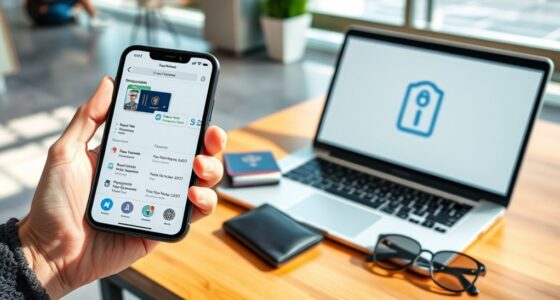
To meet passport photo and digital requirements, make certain your photo is recent, with your face centered and occupying proper space. Use a plain, light-colored background free of shadows or patterns, and have proper lighting to avoid shadows on your face or background. Keep digital edits minimal to maintain accuracy, avoiding filters or alterations. Crop the image correctly to the specified dimensions and verify compliance before submitting. If you want to know more, there’s helpful detail to explore.
Key Takeaways
- Ensure the face is centered, fully visible, and occupies appropriate space within a plain, light-colored background.
- Use well-lit conditions to avoid shadows and ensure natural skin tones and facial clarity.
- Keep digital edits minimal, focusing on brightness and contrast without altering facial features or expressions.
- Crop the photo correctly to meet size specifications, typically from chin to top of head, within 1 to 1 3/8 inches.
- Double-check official guidelines and use verification tools to confirm compliance with passport photo standards.
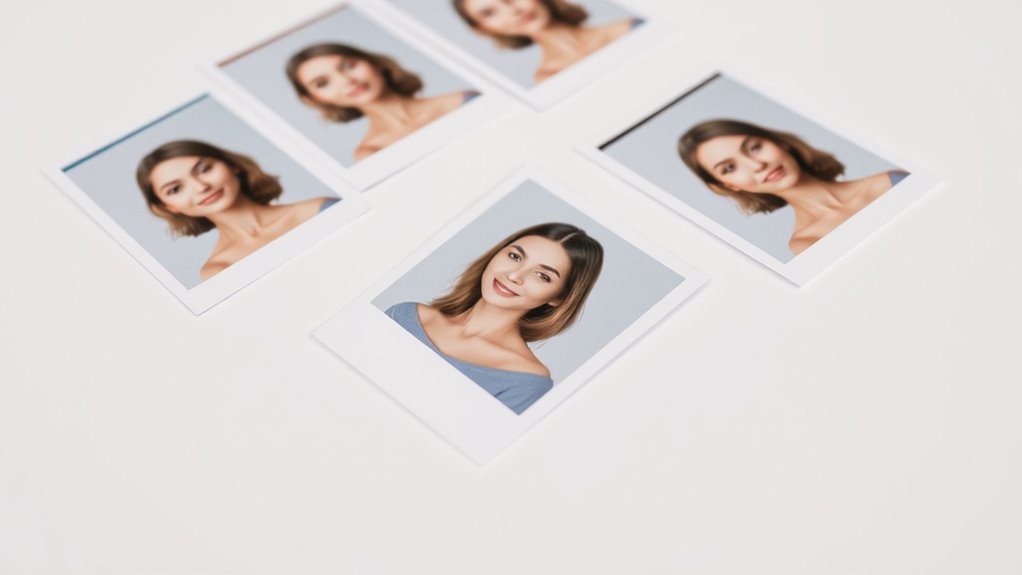
Getting the perfect passport photo is essential, as it must meet specific standards for both print and digital submissions. When preparing your photo, pay close attention to photo composition, ensuring your face is centered, well-lit, and occupies the appropriate space within the frame. The background should be plain, usually white or light-colored, with no shadows, patterns, or objects that could distract from your face. Proper photo composition not only helps meet official requirements but also makes your image clear and recognizable. This means avoiding angles or poses that distort your features or obscure your face, such as tilting your head or turning away from the camera.
Ensure your passport photo is centered, well-lit, with a plain background and natural expression.
In the digital domain, digital editing techniques can be useful, but they must be applied carefully and within guidelines. Basic adjustments like brightness, contrast, and color correction can enhance the clarity of your photo, making sure your skin tone appears natural and your features are sharp. However, avoid over-editing or using filters that alter your appearance, as these can result in rejection. Many authorities specify that any digital editing should not alter your likeness or add elements that weren’t originally in the photo. Use editing tools minimally to achieve a balanced, true-to-life image that accurately reflects your appearance.
Additionally, cropping your photo correctly is part of good photo composition. Ensure your head, from the top of your hair to the bottom of your chin, fits within the specified size—typically around 1 to 1 3/8 inches from the bottom of the chin to the top of the head. The image should be recent, usually taken within the last six months, and you should face the camera directly with a neutral expression and both eyes open. When using digital editing techniques, avoid any alterations that could change your facial features or expressions, as these can cause delays or rejections during processing.
To ensure compliance, pay attention to the necessary cookies and other site features that may assist in verifying your photo’s standards through online tools or guidelines.
Finally, always double-check the official photo specifications provided by the issuing authority. Many online tools and guidelines are available to verify your image’s compliance before submission. Taking the time to focus on proper photo composition and applying digital editing techniques responsibly guarantees your passport photo will meet the strict standards required for smooth processing. With attention to detail and adherence to guidelines, you’ll ensure your photo is both compliant and professional-looking, helping you avoid unnecessary delays in your application process.

Epson Workforce ES-580W Wireless Color Duplex Tax Receipt & Desktop Document Scanner for PC and Mac with 100-sheet Auto Feeder (ADF), Intuitive 4.3' Touchscreen
EFFORTLESS WIRELESS SCANNING – With a 4.3" touchscreen and wireless connectivity, this high-speed scanner sends scans straight to...
As an affiliate, we earn on qualifying purchases.
Frequently Asked Questions
Can I Take My Passport Photo With a Smartphone Camera?
Yes, you can take your passport photo with a smartphone camera. Just follow smartphone photo tips like ensuring good lighting, a plain background, and a steady shot. Afterward, use digital photo editing to crop and adjust the image, but avoid filters or heavy edits that alter your appearance. Make sure the photo meets official size and quality standards before submitting it to avoid delays or rejections.
What Are the Specific Background Color Requirements for Digital Photos?
You should follow the background color guidelines to meet digital photo standards. Typically, a plain white or off-white background is required, guaranteeing there are no shadows, patterns, or textures. Consistency is key; your background must be uniform, clean, and free of distractions. By adhering to these digital photo standards, you ensure your photo complies with official requirements, making the process smoother and increasing the likelihood of approval.
How Recent Must My Passport Photo Be?
Your passport photo must be recent, typically taken within the last six months, to guarantee it reflects your current appearance. Photo validity is vital, as outdated images may not meet photo update policies and could delay your application. Always check specific country requirements, but staying within the six-month window helps you avoid issues and guarantees your photo complies with current standards. Keep your photo current for smooth processing.
Are There Size Differences Between Printed and Digital Passport Photos?
Yes, there are size differences between printed and digital passport photos. You should focus on the photo dimensions, typically 2×2 inches for printed photos, ensuring your face is centered and clear. For digital images, resolution matters, but the size in pixels varies to maintain quality. Always follow official guidelines for print vs digital size, as incorrect dimensions can delay your application process.
Can I Wear Glasses in My Passport Photo?
You can wear glasses in your passport photo, but you must follow glasses guidelines and photo expression rules. For instance, if you wear glasses like Sarah did, make sure there’s no glare on the lenses and your eyes are clearly visible. Avoid tinted or dark glasses, and keep a neutral expression. This guarantees your photo meets official standards and prevents delays during processing.

Epson WorkForce ES-50 Portable Sheet-Fed Document Scanner for PC and Mac
Fastest and lightest mobile single sheet fed document scanner in its class(1) small, portable scanner ideal for easy,...
As an affiliate, we earn on qualifying purchases.
Conclusion
Remember, following the specific passport photo and digital requirements can save you time and prevent delays. Did you know that nearly 60% of passport applications are rejected due to photo issues? Ensuring your photos meet all guidelines helps you avoid these setbacks. Double-check your photos before submitting, and you’ll be on your way to your new passport faster. Paying attention to details makes all the difference—so take your time and get it right!

Epson Workforce ES-400 II Color Duplex Desktop Document Scanner for PC and Mac with Auto Doc Feeder (ADF), Image Adjustment Tools
FAST DOCUMENT SCANNING – Speed through stacks with the 50-sheet Auto Document Feeder, perfect for office scanning and...
As an affiliate, we earn on qualifying purchases.

ScanSnap iX2500 Wireless or USB High-Speed Cloud Enabled Document, Photo & Receipt Scanner with Large 5" Touchscreen and 100 Page Auto Document Feeder for Mac or PC, Black
OUR MOST ADVANCED SCANSNAP. Large touchscreen, fast 45ppm double-sided scanning, 100-sheet document feeder, Wi-Fi and USB connectivity, automatic...
As an affiliate, we earn on qualifying purchases.