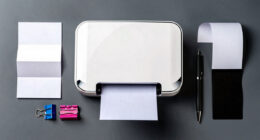

To organize your scanned documents effectively, use metadata tagging to add relevant keywords, categories, and dates to each file. Combine this with consistent, descriptive file names that reflect the content or purpose. This approach allows you to quickly locate files through searches by name or tags, saving time and reducing frustration. When you understand how to implement these tools, you’ll find managing your digital library much easier—keep exploring to discover how to optimize this process further.
Key Takeaways
- Use descriptive file names that reflect document content, date, or purpose for quick identification.
- Assign relevant metadata tags such as keywords, categories, and dates to enhance searchability.
- Employ tagging software tools to embed metadata and manage large collections efficiently.
- Combine consistent naming conventions with detailed tags to create a comprehensive organization system.
- Maintain a structured digital library to improve document retrieval, boost productivity, and reduce clutter.
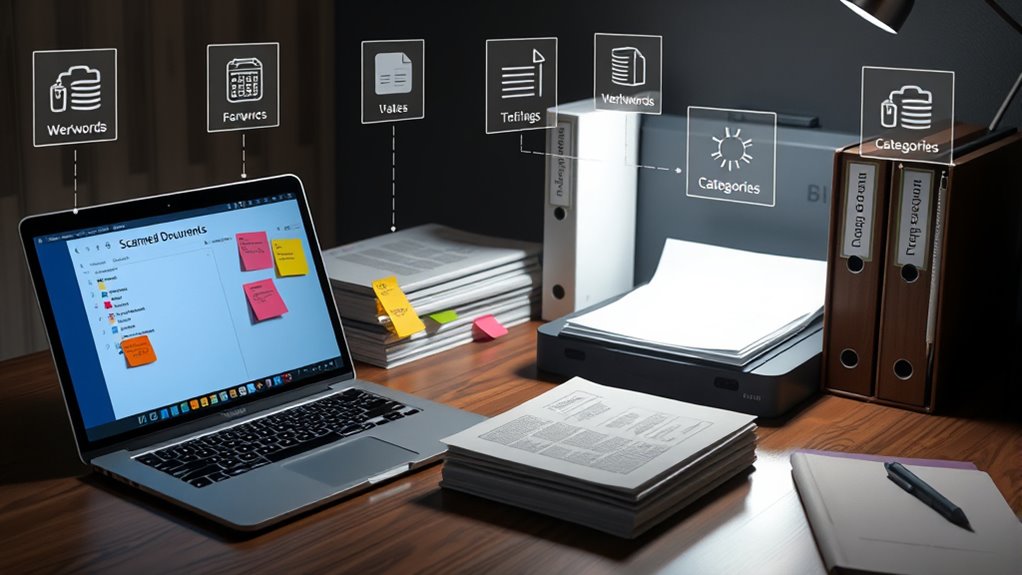
Have you ever wondered how digital content stays organized and easily retrievable? The secret lies in effective metadata tagging, which helps you categorize and locate your scanned documents quickly. When managing large collections of files, establishing consistent file naming conventions is essential. These conventions ensure each document has a clear, descriptive name that reflects its content, date, or purpose. For example, using a format like “Invoice_2024-04-27_ClientName.pdf” makes it simple to identify the file without opening it. This consistency reduces confusion and saves you time searching through endless folders.
Consistent file naming simplifies organization and quick identification of documents.
But file naming alone isn’t enough; that’s where tagging software tools come into play. These tools allow you to embed additional metadata into your files—such as keywords, categories, or dates—making your documents searchable by multiple criteria. With tagging software, you can assign relevant tags to each scanned document, which act as digital labels. Imagine tagging a contract with keywords like “contract,” “client,” “Q2,” and “signed.” Later, when you need that specific document, a quick search for any of those tags retrieves it instantly. These tools often integrate seamlessly into your workflow, whether you’re using a desktop application or cloud-based platform, streamlining the entire process.
Using file naming conventions in combination with tagging software tools creates a robust organizational system. Consistent naming helps you quickly identify files at a glance, while tags enable you to perform more flexible, detailed searches across your collection. For instance, if you’re looking for all documents related to a particular project, tags make that easy—even if the file names vary. This dual approach minimizes the risk of losing important documents amid clutter and ensures you’re always able to find what you need, when you need it.
Moreover, many tagging software tools support bulk editing, so you can assign or update tags across multiple files at once. This feature is especially useful when organizing large batches of scanned documents. By establishing clear file naming conventions upfront and leveraging the power of tagging software, you turn what could be an overwhelming mess of files into a well-structured, easily accessible digital library. Additionally, understanding the importance of content organization can significantly improve your overall productivity and document management efficiency. Ultimately, these practices help you save time, reduce frustration, and keep your digital workspace tidy and efficient.

NTUF Label Maker Software (Pos Inventory Tag)
FOR Shop, Outlet, Mart, Depot, Business
As an affiliate, we earn on qualifying purchases.
As an affiliate, we earn on qualifying purchases.
Frequently Asked Questions
How Do I Choose the Best Metadata Tags for My Documents?
To choose the best metadata tags, focus on digital keywords that accurately describe your documents. Consider their content, purpose, and context to guarantee contextual relevance. Use specific, descriptive tags rather than vague terms, which helps you quickly find and organize files later. Think about what keywords you’d search for and apply those consistently across similar documents. This approach keeps your system efficient and intuitive.
Can Metadata Tagging Be Automated for Large Document Collections?
Yes, metadata tagging can be automated for large document collections. You can implement automatic tagging by integrating AI tools that analyze your documents and assign relevant metadata tags efficiently. This approach saves you time and guarantees consistency across your collection. AI integration streamlines the process, making it easier to manage extensive archives without manual effort, allowing you to focus on more important tasks.
What Are Common Mistakes to Avoid When Tagging Scanned Files?
Mistakes in tagging often stem from neglecting file naming conventions and inconsistent tags. You might think adding random tags helps, but it causes confusion. To avoid this, use clear, standardized naming conventions and maintain tag consistency across all files. This approach guarantees easy retrieval and prevents chaos. Don’t overlook these basics, as small inconsistencies can lead to big frustrations when searching through your scanned documents later on.
How Does Metadata Tagging Improve Document Retrieval Speed?
Metadata tagging speeds up document retrieval by making your files easily searchable within digital asset management systems. It enhances search engine optimization by allowing relevant keywords and categories to be quickly identified, saving you time. When you tag accurately, you streamline your workflow, reduce frustration, and improve overall organization. This efficient system guarantees you find the right documents fast, boosting productivity and keeping your digital assets well-managed and accessible.
Is Metadata Tagging Compatible With All Scanning Software?
Metadata tagging isn’t compatible with all scanning software, and you might hit tagging limitations depending on your program. Some software offers built-in tagging features, while others don’t support it at all. Before you start, check your software’s compatibility to avoid frustration—imagine trying to fit a square peg into a round hole! You’ll save time and effort by choosing the right tools that support seamless tagging and organization.
REXBETI 25Pcs Metal File Set, Premium Grade T12 Drop Forged Alloy Steel, Flat/Triangle/Half-round/Round Large File and 12pcs Needle Files with Carry Case, 6pcs Sandpaper, Brush, A Pair Working Gloves
all the 16 pieces file are made by T12 Drop Forged Alloy Steel, the long lasting teeth were…
As an affiliate, we earn on qualifying purchases.
As an affiliate, we earn on qualifying purchases.
Conclusion
Metadata tagging might seem time-consuming at first, but it truly pays off by making your scanned documents easier to find and organize. Some worry it’s unnecessary or tedious, but once you get into the habit, it becomes quick and intuitive. Plus, the long-term benefits—saving you time and reducing frustration—far outweigh the initial effort. Start tagging today, and you’ll enjoy a clutter-free, efficient system that keeps your important files accessible whenever you need them.

Doxie Go SE – The Intuitive Portable Document Scanner with Rechargeable Battery and Easy Software for Home, Office, or Work from Home
【Go Paperless】Doxie Go SE delivers smart, simple scanning that you can take anywhere – no computer required. Doxie's…
As an affiliate, we earn on qualifying purchases.
As an affiliate, we earn on qualifying purchases.

Plustek OpticBook 4900 Scanner with Bookmaker – Simplify scanning and Make Your Paper/Document Digitized & Organized with Software to Archive, Look up and Share Files.
[Organize Books and Reference Documents] – Plustek OB4900 bundles with exclusive document management software-BookMaker to easily organize your…
As an affiliate, we earn on qualifying purchases.
As an affiliate, we earn on qualifying purchases.