

To create effective index pages and future logs, start by dedicating the first few pages of your journal to the index, labeling it clearly, and updating it as you add new entries. For future logs, divide pages into months or weeks, then record upcoming events, goals, and deadlines with page numbers for quick reference. Personalize with colors or doodles to make navigation easier. Keep practicing, and you’ll discover how these tools help organize your entire journal seamlessly.
Key Takeaways
- Set up a clear index with page numbers for easy navigation of your journal contents.
- Divide your future log into sections labeled by months or weeks for organized planning.
- Use visual cues like colors or icons in both the index and future log for quick reference.
- Personalize pages with doodles, motifs, or motivational quotes to boost engagement.
- Regularly update the index and future log to keep track of upcoming events, goals, and habit tracking.
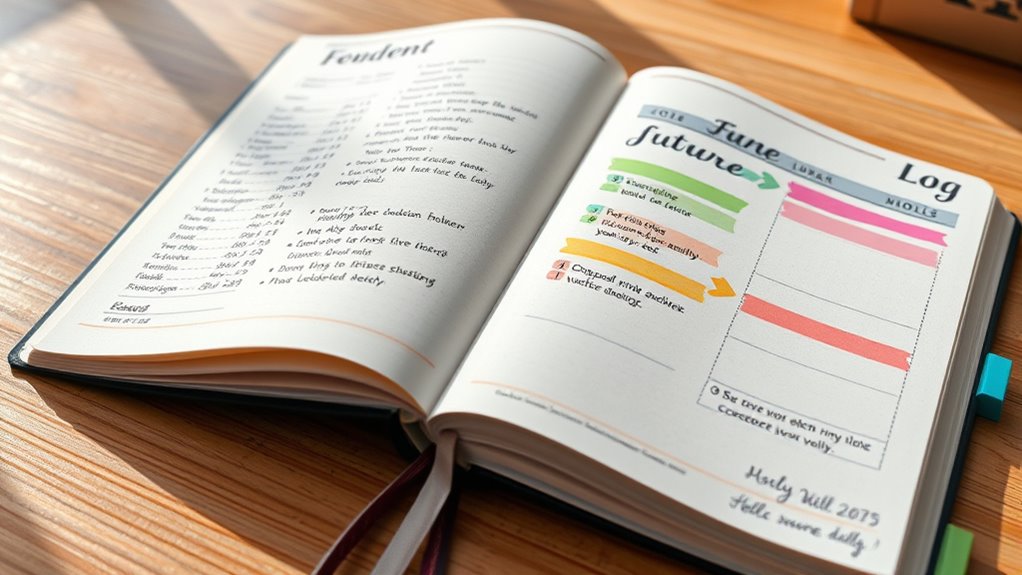
Creating index pages and future logs is vital for organizing your bullet journal effectively. These tools serve as the backbone of your system, helping you locate information quickly and stay ahead of your plans. When you set up your index, you create a roadmap that guides you through your journal’s contents. Each time you add a new page—whether it’s for habit tracking, goal setting, or notes—you assign it a page number and record that in the index. This way, when you need to review your progress or find specific entries, you won’t waste time flipping through pages. Instead, you’ll simply consult your index to locate the relevant section.
Organize your bullet journal with an index to find everything quickly and stay on track.
Your future log plays an important role in planning ahead. It’s where you jot down upcoming events, deadlines, or goals that aren’t immediately pressing but require your attention in the coming months. Setting up a future log involves dividing a few pages into sections labeled by months or weeks. This layout keeps your plans visible and organized, allowing you to migrate tasks from future logs into your monthly or weekly spreads when the time comes. Having a dedicated space for future planning ensures that nothing slips through the cracks, especially when managing multiple projects or commitments.
Page personalization adds a creative touch to your index pages and future logs, making the process more engaging. You can customize these pages with colors, doodles, or thematic motifs that reflect your personality. Adding visual elements not only makes your journal more enjoyable to use but also helps you locate sections faster. For example, using different colors for various categories or marking important upcoming events with icons can streamline your navigation. Personalization also motivates you to keep your journal up-to-date because it becomes a reflection of your style and preferences.
Incorporating habit tracking into your index and future logs enhances your self-awareness and accountability. You might dedicate specific pages for habit tracking, where each habit has its row or column, and you mark off days when you complete the habit. By referencing these pages in your index, you can track your progress over time and identify patterns. As you personalize these pages, you might include motivational quotes or visual cues that remind you to stay consistent. The combination of organized indexing, thoughtful future planning, and personalized habit tracking makes your bullet journal a powerful tool for growth and productivity. It transforms a simple notebook into a tailored system that supports your goals, habits, and plans every step of the way.
Additionally, understanding how arcade machines operate can inspire you to incorporate engaging gaming themes into your journal for added motivation and fun.
Top picks for "creat index future"
Open Amazon search results for this keyword.
As an affiliate, we earn on qualifying purchases.
Frequently Asked Questions
How Often Should I Update My Index Pages?
You should update your index pages regularly to guarantee accurate index maintenance. Aim to update your index whenever you add, remove, or relocate pages or entries. This keeps your bullet journal organized and easy to navigate. The update frequency depends on your usage, but a quick review once a week or after major entries work well. Consistent updates help maintain clarity and make finding information quick and effortless.
Can I Customize Future Logs for Different Categories?
Yes, you can customize future logs for different categories to suit your needs. By using category customization, you can create dedicated sections for work, personal, or hobbies, making log personalization easier and more organized. This approach helps you quickly find upcoming tasks and events within each category. Feel free to experiment with layouts, colors, and symbols to make your future logs more intuitive and tailored to your lifestyle.
What’s the Best Way to Organize Multiple Journals?
Back in the day, organizing multiple journals was straightforward, but now you can choose between digital or paper formats. For best results, decide if you’d prefer the flexibility of digital tools or the tactile feel of paper. Use custom templates to streamline each journal’s purpose, whether work or personal. Keep a master index to track where everything is, making it easier to switch between journals efficiently.
How Do I Handle Recurring Events in Future Logs?
To handle recurring events in your future logs, you should set up repeating reminders for ongoing commitments. Each time you log a recurring event, create a new entry with a note to review it periodically. This way, you stay on top of ongoing commitments without cluttering your journal. Use symbols or color coding to quickly identify these recurring reminders, ensuring they stand out and are easy to update.
Are Digital Tools Better Than Paper for These Pages?
Digital tools aren’t necessarily better than paper for index pages and future logs; it depends on your preference. Digital apps offer easy customization, quick edits, and seamless syncing, which can be helpful for complex or busy schedules. Paper provides a tactile experience, helping you remember better and stay focused. Try both to see which suits your style—digital for flexibility, paper for a more personal, hands-on approach.
Conclusion
By creating clear index pages and future logs, you set yourself up for an organized and enjoyable bullet journal experience. This approach actually boosts your motivation, making it easier to stay on track and find what you need quickly. Some believe that visual organization activates your brain’s reward system, increasing satisfaction. So, as you build your journal, remember that a well-structured system isn’t just practical—it’s proven to enhance your overall journaling enjoyment.