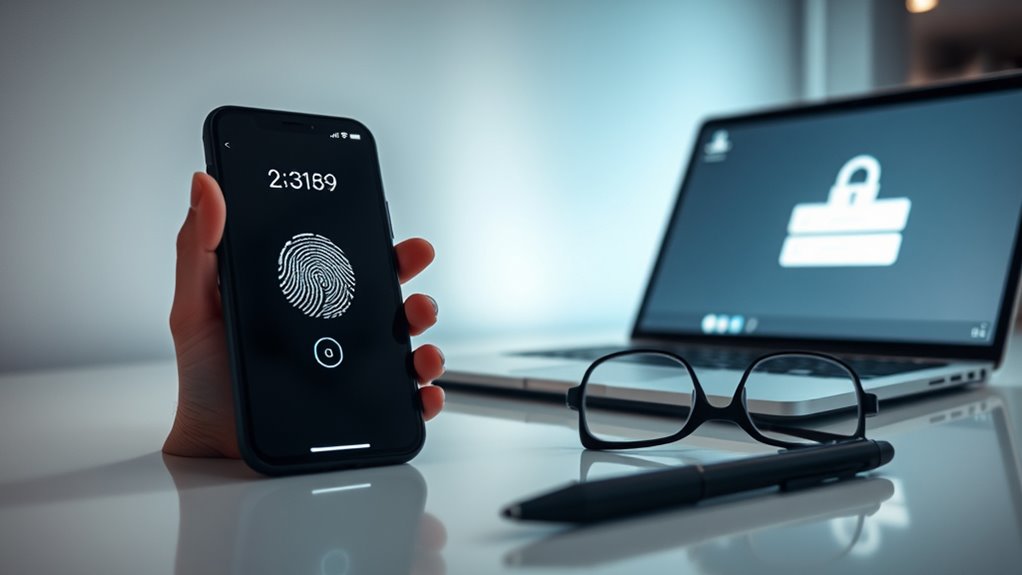

Two-factor authentication (2FA) is a security method that requires you to verify your identity using two different ways, such as a password and a code sent to your phone or biometric data. This extra layer makes it much harder for hackers to access your accounts, even if they steal your password. Using 2FA greatly improves your online security and helps prevent unauthorized access. Keep exploring to learn more about how 2FA protects you.
Key Takeaways
- Two-factor authentication (2FA) adds an extra security step beyond passwords, verifying identities through two different methods.
- It helps prevent unauthorized access even if passwords are stolen or guessed.
- Common second factors include biometric data, security questions, or one-time codes.
- Using 2FA significantly enhances account protection against hacking and cyber threats.
- Enabling 2FA is simple and provides a crucial layer of security for online accounts.

Two-factor authentication (2FA) is a security process that requires you to verify your identity using two different methods before gaining access to an account or system. This extra layer of protection helps prevent unauthorized access, even if someone manages to steal your password. Instead of relying solely on your password, 2FA prompts you to provide a second form of verification, making it considerably harder for hackers to breach your accounts.
One common second factor is security questions. When you set up 2FA, you might be asked to answer personal questions that only you can answer, such as your mother’s maiden name or the name of your first pet. These questions add a layer of security because they are something you know. However, they can sometimes be less secure if the answers are easily guessable or found through social media. That’s why many platforms now encourage stronger, more unique responses or alternative verification methods.
Another popular method is biometric verification, which uses physical traits to confirm your identity. This includes fingerprint scans, facial recognition, or even iris scans. Biometric data is unique to you, making it difficult for anyone else to impersonate you. When you enable biometric verification, you might be asked to scan your fingerprint or look into your device’s camera for facial recognition before gaining access. This method is quick, convenient, and highly secure because it relies on your biological features that are nearly impossible to replicate.
Using these two factors together markedly enhances your account security. For example, even if someone steals your password, they would still need to pass the biometric check or correctly answer your security questions to get in. This layered approach reduces the risk of hacking and identity theft. Additionally, cookie-based authentication plays a role in maintaining session security during your online interactions. Many online services, including banking apps, email providers, and social media platforms, now support 2FA because it provides peace of mind and safeguards your personal information.
While setting up 2FA might seem like an extra step, it’s a small inconvenience that offers substantial security benefits. It forces potential intruders to bypass multiple barriers, making your digital life more secure. Whether it’s answering security questions or using biometric verification, adding a second layer of authentication is a smart move to protect your accounts from unauthorized access. Ultimately, 2FA helps you stay in control of your online security and keeps your sensitive information safe from cyber threats.
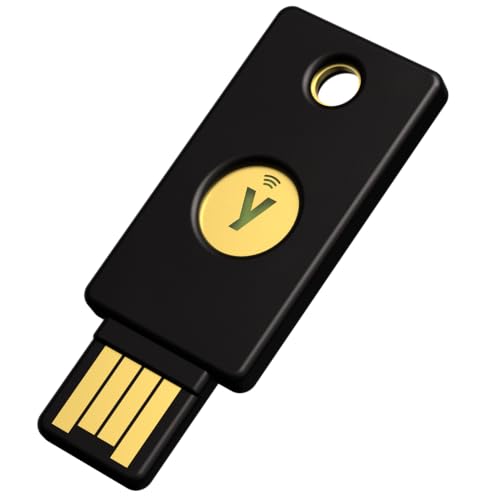
Yubico – YubiKey 5 NFC – Multi-Factor authentication (MFA) Security Key and passkey, Connect via USB-A or NFC, FIDO Certified – Protect Your Online Accounts
POWERFUL SECURITY KEY: The YubiKey 5 NFC is the most versatile physical passkey, protecting your digital life from…
As an affiliate, we earn on qualifying purchases.
As an affiliate, we earn on qualifying purchases.
Frequently Asked Questions
Can Two-Factor Authentication Be Bypassed?
You might wonder if two-factor authentication can be bypassed. While it adds extra security, it’s not foolproof. Biometric vulnerabilities can be exploited, and SMS security risks, like SIM swapping, could compromise your account. Attackers may find ways around these protections, so it’s important to stay vigilant. Using additional security measures, like authenticator apps, can help reduce risks and keep your accounts safer.
What Are the Best Types of Second Factors?
Choosing the best second factors is like selecting the strongest lock for your door. You should consider biometric options, like fingerprint or facial recognition, because they’re quick and hard to fake. Hardware tokens are also excellent—they generate unique codes and are more secure than SMS. Combining these provides robust protection, making it difficult for hackers to bypass your security. Prioritize options that are both convenient and difficult to compromise for maximum safety.
Is Two-Factor Authentication Required for All Accounts?
You might wonder if two-factor authentication is mandatory for all accounts. While some platforms, especially those handling sensitive info, require it, others may not. Using Single Sign-On and password managers can help you manage security more effectively. Enabling two-factor adds an extra layer of protection, so it’s wise to activate it whenever possible, especially for important accounts, to keep your data safe and secure.
How Does Two-Factor Authentication Impact User Experience?
Imagine you’re in a digital speakeasy—adding two-factor authentication (2FA) changes your user experience, making it slightly more cumbersome but vastly more secure. You might find the extra step a minor inconvenience, but it creates a solid security balance, protecting your accounts from unauthorized access. Overall, 2FA enhances your online safety without sacrificing usability, ensuring peace of mind while you navigate your digital world.
Are There Risks Associated With Using Two-Factor Authentication?
While two-factor authentication enhances your security, it does come with some risks. You might face security vulnerabilities if apps or devices used for authentication are compromised. Additionally, it can cause user inconvenience, especially if you lose access to your second factor or experience delays. Being aware of these risks helps you stay vigilant and take steps to protect your accounts, ensuring a safer online experience.

Digital Persona 88003-001U.are.u 4500 Reader 70" Cable
Target Applications – Desktop PC security, Mobile PCs, Custom applications
As an affiliate, we earn on qualifying purchases.
As an affiliate, we earn on qualifying purchases.
Conclusion
By embracing two-factor authentication, you add a gentle layer of protection that’s like a friendly gatekeeper, quietly guarding your digital life. It’s a simple step that makes unauthorized access much more difficult, giving you peace of mind without fuss. Think of it as a wise safeguard, softly encouraging you to stay secure. In today’s world, a little extra care goes a long way—so why not let this small measure make a big difference?

Yubico – Security Key C NFC – Basic Compatibility – Multi-Factor authentication (MFA) Security Key and passkey, Connect via USB-C or NFC, FIDO Certified
POWERFUL SECURITY KEY: The Security Key C NFC is the essential physical passkey for protecting your digital life…
As an affiliate, we earn on qualifying purchases.
As an affiliate, we earn on qualifying purchases.
Yubico – YubiKey 5 NFC – Multi-Factor authentication (MFA) Security Key and passkey, Connect via USB-A or NFC, FIDO Certified – Protect Your Online Accounts
POWERFUL SECURITY KEY: The YubiKey 5 NFC is the most versatile physical passkey, protecting your digital life from…
As an affiliate, we earn on qualifying purchases.
As an affiliate, we earn on qualifying purchases.