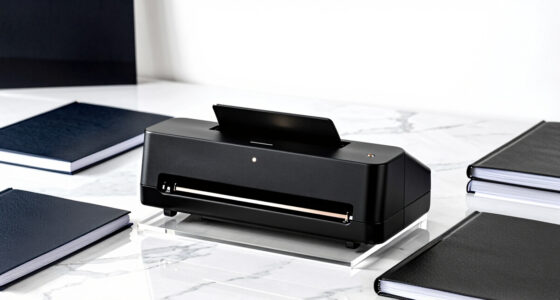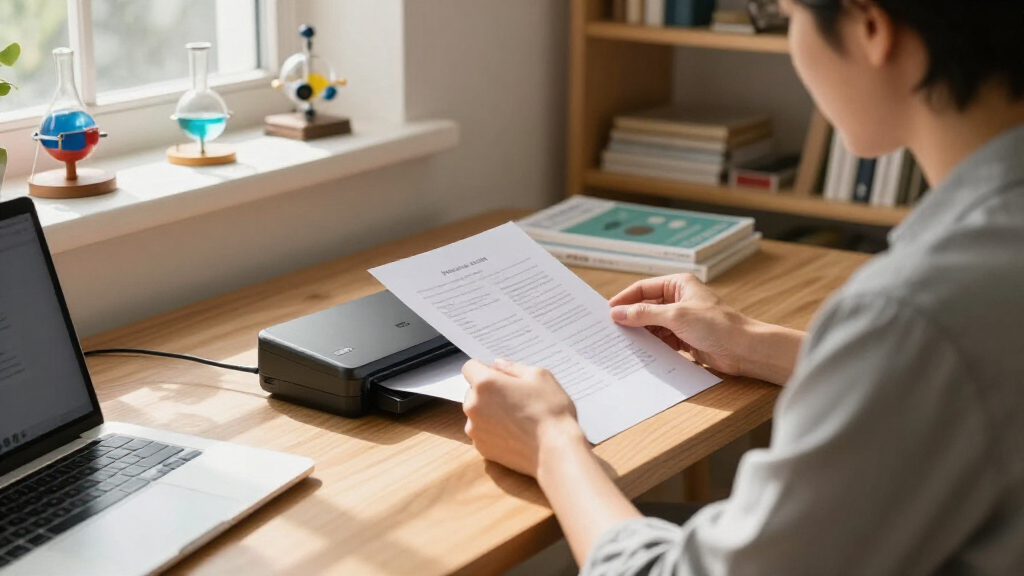
When it comes to portable document scanners, choosing the right one depends on your priorities like speed, size, and connectivity. The ScanSnap iX1300 stands out as the best overall for its balance of speed, ease of use, and versatility. For those needing ultra-lightweight options, the Epson Workforce ES-50 offers excellent portability, while the Canon imageFORMULA R10 excels in compact design for quick scanning on the go. However, tradeoffs often involve balancing size against features like duplex scanning or wireless connectivity. Continue reading to see how these options compare and find your best fit.
Key Takeaways
- The top picks balance portability with scanning features like duplexing and wireless connectivity.
- Lighter, more compact models often compromise on advanced features such as double-sided scanning.
- Connectivity options, especially wireless, are key for remote or mobile work environments.
- Build quality and ease of use are critical for long-term satisfaction, not just initial performance.
- Higher-priced models tend to offer faster scans and more robust software, but value-focused options remain highly capable.
| ScanSnap iX1300 Wireless or USB Double-Sided Color Document Scanner, Black |  | Best Overall for Versatile Home and Office Use | Connectivity: USB, Wi-Fi | Color: Color | Duplex Scanning Speed: 30 ppm | VIEW LATEST PRICE | See Our Full Breakdown |
| Epson Workforce ES-50 Compact & Lightweight Mobile Document Scanner |  | Best for On-the-Go Single-Page Scanning | Maximum Document Size: 8.5 x 72 inches | Scanning Speed: 5.5 seconds per page | Connectivity: USB 2.0 | VIEW LATEST PRICE | See Our Full Breakdown |
| Canon imageFORMULA R10 Portable Document Scanner |  | Best for High-Quality Mobile Scanning with Automatic Feeder | Power Consumption: 2.5W or less | Suggested Daily Volume: 500 scans | Scanning Speed: 12 ppm | VIEW LATEST PRICE | See Our Full Breakdown |
| Brother DS-740D Duplex Compact Mobile Document Scanner |  | Best for Multi-Platform Portable Scanning with Image Enhancement | Scan Speed: 16 ppm | Duplex Scanning: Yes | Connectivity: Micro USB 3.0 | VIEW LATEST PRICE | See Our Full Breakdown |
| Canon imageFORMULA P-208II Personal Document Scanner |  | Best for Basic Portable Scanning of Multiple Document Types | Dimensions: 1.5″ x 12.3″ x 2.2″ | Scan speed: Up to 8 pages per minute | Document types: Receipts, photos, business cards, long documents | VIEW LATEST PRICE | See Our Full Breakdown |
| Brother DS-640 Compact Mobile Document Scanner |  | Best Overall Portable Document Scanner | Scan Speed: 16 pages per minute | Weight: 1.5 lbs | Dimensions: Less than 1 foot in length | VIEW LATEST PRICE | See Our Full Breakdown |
| Epson WorkForce ES-60W Wireless Compact Mobile Document Scanner |  | Best for Wireless Convenience | Scan Speed: 4 seconds per page | Connectivity: Wireless, USB | Supported Documents: Up to 8.5″ x 72″, ID cards, receipts | VIEW LATEST PRICE | See Our Full Breakdown |
| HP Small USB Document & Photo Scanner for Portable 1-Sided Sheetfed Digital Scanning, Model HPPS100 |  | Best for Photo and Document Quick Scans | Model: HPPS100 | Scanning Speed: 15 pages per minute | Resolution: 1200 dpi | VIEW LATEST PRICE | See Our Full Breakdown |
| IRIScan Express 4 Black Portable USB Document Scanner |  | Best for Versatile Format Support | Scan Speed: 8 PPM | Color Scanning: Yes | Connectivity: USB 2.0 | VIEW LATEST PRICE | See Our Full Breakdown |
| Plustek Mobile Scanner S410 Plus – Portable Sheet-Fed Document Scanner for Windows |  | Best for High-Volume Small Business Use | Connectivity: USB | Compatibility: Windows 7 / 8 / 10 / 11 | Weight: Less than 1 lb | VIEW LATEST PRICE | See Our Full Breakdown |
| portable document scanner | Connectivity | Compatibility | Scan Speed |
|---|---|---|---|
| ScanSnap iX1300 Wireless or US | USB, Wi-Fi | — | — |
| Epson Workforce ES-50 Compact | USB 2.0 | — | — |
| Canon imageFORMULA R10 Portabl | — | Windows and Mac | — |
| Brother DS-740D Duplex Compact | Micro USB 3.0 | Windows, Mac, Linux | 16 ppm |
| Canon imageFORMULA P-208II Per | Supports Windows and Mac, TWAIN driver included | — | Up to 8 pages per minute |
| Brother DS-640 Compact Mobile | — | Windows, Mac, Linux | 16 pages per minute |
| Epson WorkForce ES-60W Wireles | Wireless, USB | PC, Mac, iOS, Android | 4 seconds per page |
| HP Small USB Document & Photo | USB 2.0 | Windows and MacOS | — |
| IRIScan Express 4 Black Portab | USB 2.0 | Windows | 8 PPM |
| Plustek Mobile Scanner S410 Pl | USB | Windows 7 / 8 / 10 / 11 | — |
More Details on Our Top Picks
ScanSnap iX1300 Wireless or USB Double-Sided Color Document Scanner, Black
The ScanSnap iX1300 stands out for its balance of speed, connectivity, and ease of use, making it a top choice for those who need a reliable scanner that can handle diverse documents. Compared to the Canon imageFORMULA R10, it offers faster duplex scanning and more seamless cloud integration, though it lacks the built-in software simplicity of the Canon. Its compact design is ideal for small spaces, and the dual connectivity options (USB and Wi-Fi) support multi-device environments. However, it doesn’t include extras like document feeders or advanced image enhancement, which might be a drawback for heavy-volume users. This pick suits busy professionals or small teams seeking a straightforward, efficient scanner without fuss.
Pros:- Compact and space-efficient design
- Fast duplex scanning at 30 pages per minute
- Easy to connect via USB and Wi-Fi to multiple devices
- User-friendly ScanSnap Home software
Cons:- Lacks included accessories or advanced features
- Potential learning curve for new users
Best for: Small offices or home users needing quick, duplex color scans with cloud options
Not ideal for: High-volume professional scanning or users needing advanced features like document feeders
- Connectivity:USB, Wi-Fi
- Color:Color
- Duplex Scanning Speed:30 ppm
- Supported Document Types:Photos, cards, thick documents
- Software:ScanSnap Home
Our verdict“This scanner is perfect for users who want a reliable, fast, and versatile device for everyday document digitization in small spaces.”
Epson Workforce ES-50 Compact & Lightweight Mobile Document Scanner
The Epson Workforce ES-50 excels in portability, making it ideal for mobile professionals who need quick scans of receipts, ID cards, or single pages. Its lightweight, pocket-sized design surpasses larger models like the Brother DS-740D in portability, but it sacrifices scanning speed and multi-page capacity, handling only one sheet at a time. Its USB-powered operation simplifies setup, yet it misses wireless connectivity, limiting flexibility for those who prefer cable-free use. The inclusion of OCR software makes it easy to create searchable PDFs, which is a clear advantage over less integrated options. This device works best for travel, fieldwork, or occasional scanning needs rather than high-volume tasks.
Pros:- Extremely compact and lightweight
- Fast single-page scan in 5.5 seconds
- Includes OCR for searchable, editable files
- Powered directly via USB
Cons:- Limited to single-sheet scanning
- No wireless or Wi-Fi connectivity
Best for: Travelers or field workers who need quick, single-page scans without carrying extra equipment
Not ideal for: High-volume or professional office environments where multi-page or batch scanning is required
- Maximum Document Size:8.5 x 72 inches
- Scanning Speed:5.5 seconds per page
- Connectivity:USB 2.0
- Software:Epson ScanSmart, Nuance OCR
- Power Source:USB-powered
Our verdict“This scanner is best for mobile users who prioritize portability and quick single-page scans over volume capacity.”
Canon imageFORMULA R10 Portable Document Scanner
The Canon imageFORMULA R10 offers a compelling mix of portability and high-speed duplex scanning, making it suitable for users who need quick, reliable document capture on the move. Its built-in automatic feeder with a 20-sheet capacity allows more efficient batch scanning compared to the manual feed of the Canon P-208II. The R10’s high-quality imaging technology ensures sharp scans, yet it’s less suited for photos or media requiring high-resolution photo reproduction. Its energy-efficient design and compatibility with both Windows and Mac expand its appeal. However, it’s not designed for large-volume professional use, and the slightly higher price reflects its more advanced features. This model targets small business users and professionals needing fast, high-quality scans.
Pros:- Portable and lightweight for easy mobility
- Fast duplex scanning with automatic feeder
- High-quality image capture leveraging Canon technology
- No need for software installation
Cons:- Limited to document types, not ideal for photos
- Not suited for high-volume professional scanning
Best for: Small business owners or mobile professionals who require fast duplex scanning and high image quality
Not ideal for: Photographers or users who need to scan photos or large volumes of documents continuously
- Power Consumption:2.5W or less
- Suggested Daily Volume:500 scans
- Scanning Speed:12 ppm
- Automatic Feeder Capacity:20 sheets
- Compatibility:Windows and Mac
- Energy Certification:ENERGY STAR
Our verdict“This scanner works well for mobile professionals who need fast, high-quality duplex scans without bulky equipment.”
Brother DS-740D Duplex Compact Mobile Document Scanner
The Brother DS-740D combines portability with versatile platform support, making it a strong choice for those who need to scan on different operating systems. Its duplex speed of 16 ppm surpasses some smaller models like the Canon P-208II, and automatic image enhancement features improve scan clarity. Its less than 1-foot length makes it extremely easy to carry, and its support for cloud destinations adds to its flexibility. However, the need for a USB connection limits convenience, especially for those wanting wireless options. Software setup can be a hassle for less tech-savvy users, and it’s less suited for large, high-volume tasks due to its size constraints. This pick is ideal for multi-platform mobile users who need reliable, on-the-go scanning with some image refinement.
Pros:- Compact and portable design fits easily in bags
- Supports multiple platforms including Linux
- Supports cloud destinations and OCR
- Automatic image enhancement features
Cons:- Requires USB connection, no wireless
- Limited handling of large or complex documents
Best for: Remote workers or students who need to scan documents across multiple OS platforms and prefer automatic image adjustments
Not ideal for: High-volume office environments or users seeking wireless freedom
- Scan Speed:16 ppm
- Duplex Scanning:Yes
- Connectivity:Micro USB 3.0
- Compatibility:Windows, Mac, Linux
- Dimensions:Less than 1 foot in length
Our verdict“This scanner suits multi-platform mobile users who want reliable, automatic-enhanced scans without the bulk of larger units.”
Canon imageFORMULA P-208II Personal Document Scanner
The Canon P-208II delivers simplicity and portability for users who need to digitize receipts, business cards, and small documents quickly. Its compact size and lightweight build make it ideal for travel or occasional use, but it falls behind in speed compared to larger office scanners like the ScanSnap iX1300. The limited 8 pages per minute scan speed may slow down users with higher volume needs, and the lack of wireless connectivity restricts its flexibility for wireless workflows. Its bundled software supports basic scanning tasks and business card management, but it doesn’t include advanced features like OCR or cloud integration out of the box. This model is best suited for individuals needing quick, on-the-move scans of small batches.
Pros:- Extremely portable and lightweight
- Supports multiple document types including photos and cards
- Fast enough for small batches
- Includes bundled scanning and business card software
Cons:- Limited to 8 pages per minute
- No wireless connectivity or advanced cloud features
Best for: Frequent travelers or small business owners with low-volume scanning needs
Not ideal for: High-volume or professional office use where faster speeds and wireless features are necessary
- Dimensions:1.5″ x 12.3″ x 2.2″
- Scan speed:Up to 8 pages per minute
- Document types:Receipts, photos, business cards, long documents
- Connectivity:Supports Windows and Mac, TWAIN driver included
- Warranty:One-year
Our verdict“This scanner is ideal for mobile users who need a simple, portable solution for light document and card scanning.”
Brother DS-640 Compact Mobile Document Scanner
The Brother DS-640 stands out for its high-speed scanning capability of 16 pages per minute, making it an excellent choice for professionals who need quick digitization on the go. Its ultra-compact design, weighing only 1.5 pounds, easily fits into a bag, and support for multiple operating systems broadens its usability. Compared with the Epson ES-60W, it offers faster throughput but lacks wireless connectivity, relying solely on a micro USB connection. This tradeoff means less flexibility in device placement but keeps the setup straightforward. The included OCR and image optimization software enhance productivity, especially for document-heavy workflows. However, its dependency on external power and limited media types restrict its versatility for other media beyond documents. This pick makes the most sense for busy professionals or small teams needing reliable, fast scanning in a lightweight package.
Pros:- High scanning speed of 16 pages per minute
- Ultra-compact, lightweight design for portability
- Supports multiple OS and cloud destinations
- Includes OCR for searchable and editable documents
Cons:- Requires external power via micro USB, limiting mobility
- Limited to document scanning, no support for other media
- No built-in battery for standalone use
Best for: Traveling professionals and mobile workers who need fast, reliable document scanning without wireless setup.
Not ideal for: Users seeking wireless or battery-powered scanners for completely cable-free operation or those scanning media other than documents.
- Scan Speed:16 pages per minute
- Weight:1.5 lbs
- Dimensions:Less than 1 foot in length
- Power:Micro USB 3.0
- Compatibility:Windows, Mac, Linux
- Features:Color detection, image rotation, bleed through prevention, text enhancement
Our verdict“Ideal for professionals who prioritize speed and portability over wireless flexibility.”
Epson WorkForce ES-60W Wireless Compact Mobile Document Scanner
The Epson WorkForce ES-60W makes a compelling case for those who prioritize wireless operation, with the ability to scan a page in just 4 seconds. Its lightweight design ensures easy portability, and wireless connectivity enables seamless scanning to multiple devices without cables, unlike the Brother DS-640. This makes it more suitable for environments where mobility and quick sharing are critical. However, its limitation to single-sheet feeding means it’s less suited for larger batches compared to multi-sheet models like the Plustek S410 Plus. It supports documents up to 8.5″ x 72″ and includes OCR software, yet it relies on compatible devices and apps for full functionality. This scanner is best for users who need fast, occasional scans on the go but don’t require high-volume batch processing.
Pros:- Fast scan speed of 4 seconds per page
- Wireless connectivity to multiple devices
- Compact and lightweight for portability
- Includes OCR for searchable PDFs
Cons:- Limited to single-sheet scanning, not suitable for batches
- Supports only documents up to 8.5″ x 72″
- Requires compatible app/software for full feature access
Best for: Frequent travelers and remote workers who need quick, wireless scans to multiple devices.
Not ideal for: Heavy document processors or office environments requiring batch scanning of large volumes.
- Scan Speed:4 seconds per page
- Connectivity:Wireless, USB
- Supported Documents:Up to 8.5″ x 72″, ID cards, receipts
- Operating Temperature:41°F to 95°F
- Software:Epson ScanSmart, Nuance OCR
- Compatibility:PC, Mac, iOS, Android
Our verdict“Best for mobile users needing rapid, wireless single-page scans without bulk capacity.”
HP Small USB Document & Photo Scanner for Portable 1-Sided Sheetfed Digital Scanning, Model HPPS100
The HPPS100 excels in providing high-resolution scans up to 1200 dpi at 15 pages per minute, making it suitable for those who need detailed image captures of both documents and photos. Its support for various paper sizes, including small formats, offers notable versatility compared to the Epson ES-60W, which is more limited in media types. However, the HPPS100 is restricted to USB 2.0 and does not include wireless options, which limits its mobility slightly. It’s designed primarily for light to moderate use, such as quick travel scans or small office tasks, but isn’t built for high-volume batch processing. Its compact size and fast processing make it appealing for users who prioritize quality and portability in a simple package.
Pros:- High-resolution 1200 dpi scans
- Fast 15 pages per minute processing speed
- Supports various paper sizes and formats
- Compact and lightweight for travel
Cons:- Limited to USB 2.0, no wireless connectivity
- Designed mainly for light or moderate use
- Only supports simplex (single-sided) scanning
Best for: Travelers and small business owners who need high-quality, portable scans of photos and documents in small batches.
Not ideal for: Heavy users or those needing wireless flexibility or large-volume batch scanning.
- Model:HPPS100
- Scanning Speed:15 pages per minute
- Resolution:1200 dpi
- Paper Size Range:2″ x 2.9″ to 8.5″ x 14″
- Connectivity:USB 2.0
- Compatibility:Windows and MacOS
Our verdict“Perfect for users prioritizing high-quality images and portability over wireless features or high-volume capacity.”
IRIScan Express 4 Black Portable USB Document Scanner
The IRIScan Express 4 offers versatility with support for multiple formats like PDF, Word, and Excel, making it a solid choice for users who need to process various document types. Its scan speed of 8 pages per minute is moderate but sufficient for light tasks. Compared with the Plustek S410 Plus, it is more software-rich, including OCR and PDF editing tools, but it is limited to Windows, which could be restrictive for Mac users. Its micro USB power source aligns with portability needs, but the absence of an AC adapter might be inconvenient for some. This scanner suits small business owners or students who need a portable device capable of handling multiple document formats with decent speed.
Pros:- Supports multiple formats including PDF, Word, and Excel
- Moderate scan speed of 8 pages per minute
- Includes OCR and PDF editing software
- Portable and lightweight design
Cons:- Limited to Windows compatibility
- No AC power adapter included
- Single-sided scanning only
Best for: Small business owners and students who want a versatile, portable scanner with multiple output options.
Not ideal for: Heavy-duty users or Mac users who need broader OS compatibility or faster batch processing.
- Scan Speed:8 PPM
- Color Scanning:Yes
- Connectivity:USB 2.0
- Compatibility:Windows
- Power:Micro USB
- Included Software:Readiris OCR, PDF editor
Our verdict“Best for Windows users seeking a versatile, portable scanner with multiple format support.”
Plustek Mobile Scanner S410 Plus – Portable Sheet-Fed Document Scanner for Windows
The Plustek S410 Plus is designed to handle small batches of diverse documents, including receipts, IDs, and invoices, with its automatic, button-free operation. Weighing less than 1 pound, it’s highly portable, ideal for on-the-go professionals needing quick, reliable scanning. Its built-in OCR software allows for instant conversion into editable, searchable files, unlike many other compact models that require external software. While it’s optimized for Windows and lacks wireless options, its automatic feeding and seamless saving features make it a strong choice for light office use. Compared to the IRIScan Express 4, it offers a more streamlined batch process, although at the expense of format versatility. It’s best suited for small business owners or field agents who frequently scan small batches of various documents.
Pros:- Lightweight and highly portable
- Automatic, button-free scanning
- Built-in OCR for searchable files
- Supports multiple document types and sizes
Cons:- Limited to Windows operating system
- No wireless connectivity
- Potentially limited for high-volume batch scanning
Best for: Small business owners and mobile professionals who need quick, batch-capable scanning with OCR on Windows.
Not ideal for: Mac users or those requiring wireless connectivity for multiple devices.
- Connectivity:USB
- Compatibility:Windows 7 / 8 / 10 / 11
- Weight:Less than 1 lb
- Paper Sizes:Letter, Legal, Business cards, IDs, Invoices, Receipts
- Features:Automatic scanning, OCR, seamless saving
Our verdict“Great for small businesses and mobile users who need fast, batch scanning with OCR on Windows devices.”
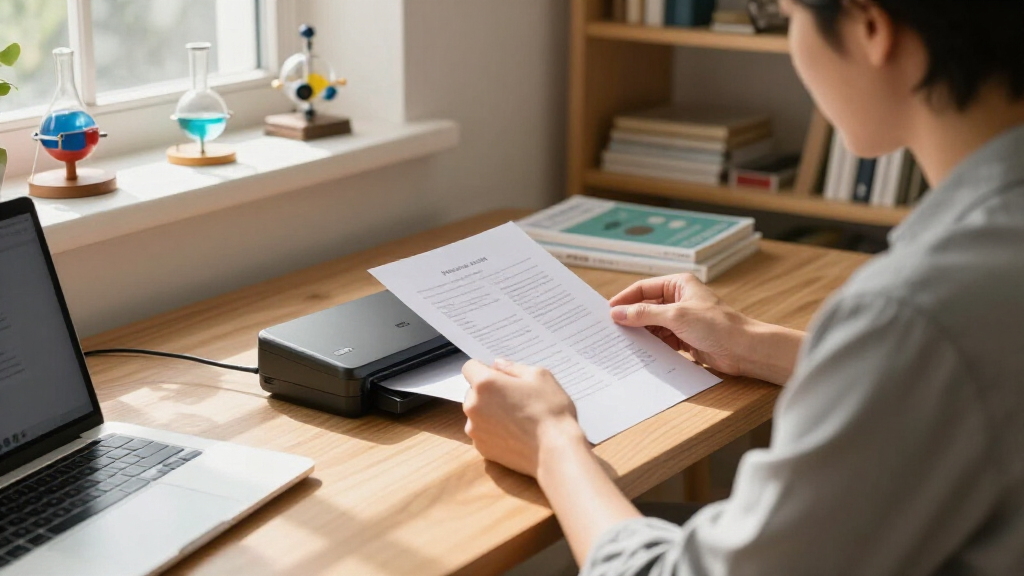
How We Picked
This roundup evaluates portable document scanners based on several criteria: scanning speed, portability, ease of setup, connectivity options, build quality, and value for money. We prioritized models that balance performance with size, ensuring they are genuinely portable without sacrificing core features. Additional factors like software usability, paper capacity, and duplex scanning capabilities influenced the rankings. Our goal was to identify options suitable for a variety of users—from busy professionals to students—while providing a transparent comparison of tradeoffs involved in each choice.| portable document scanner | Connectivity | Compatibility |
|---|---|---|
| ScanSnap iX1300 Wireless or US | USB, Wi-Fi | — |
| Epson Workforce ES-50 Compact | USB 2.0 | — |
| Canon imageFORMULA R10 Portabl | — | Windows and Mac |
| Brother DS-740D Duplex Compact | Micro USB 3.0 | Windows, Mac, Linux |
| Canon imageFORMULA P-208II Per | Supports Windows and Mac, TWAIN driver included | — |
| Brother DS-640 Compact Mobile | — | Windows, Mac, Linux |
| Epson WorkForce ES-60W Wireles | Wireless, USB | PC, Mac, iOS, Android |
| HP Small USB Document & Photo | USB 2.0 | Windows and MacOS |
| IRIScan Express 4 Black Portab | USB 2.0 | Windows |
| Plustek Mobile Scanner S410 Pl | USB | Windows 7 / 8 / 10 / 11 |
Factors to Consider When Choosing Portable Document Scanners
Selecting a portable document scanner involves weighing multiple factors to match your specific needs. Beyond just size, consider what features are essential for your workflow, such as duplex scanning, wireless connectivity, or OCR capabilities. Understanding how each element impacts usability and cost will help you avoid common pitfalls, like choosing a model that’s too slow or lacking necessary features. The following sections highlight key considerations to guide your decision-making process.Size and Portability
The primary advantage of portable scanners is their compact size, but not all models are equally portable. Some are ultra-lightweight and foldable, ideal for frequent travel or limited space, while others are slightly larger but still manageable. Consider how often you’ll carry the scanner and whether a smaller form factor will meet your scanning volume demands. Remember, smaller models may have limitations like reduced paper capacity or slower speeds.
Scanning Speed and Duplexing
Speed is a critical factor if you need to scan large volumes regularly. While most portable models are slower than desktop counterparts, some offer duplex scanning—double-sided document capture—which can significantly cut down overall scanning time. Be mindful that duplexing often adds to cost and complexity, so evaluate whether your typical tasks require double-sided scans. If you mainly scan single sheets, a simpler, faster model might suffice.
Connectivity Options
Wireless connectivity, including Wi-Fi and mobile app integration, adds convenience by enabling scanning directly to devices without cables. This feature is especially useful for remote work or when working in multiple locations. However, wireless models can be more expensive and sometimes less stable than USB-only options. Consider your environment and whether the added flexibility justifies the extra cost and potential setup complexity.
Software and OCR Capabilities
Effective software support and OCR (Optical Character Recognition) can turn scanned images into editable text, adding substantial value to your workflow. Some models come with proprietary software that simplifies file management and conversion, while others require third-party tools. Be aware that software quality varies, and free or bundled options may have limitations. Prioritize models with reliable OCR if converting documents into editable formats is a priority.
Build Quality and Power Options
Since portable scanners are often used on the go, durability is important. Look for sturdy construction and protective features that withstand frequent handling. Power options matter too—USB-powered models are simpler but may have slower scans, while battery-powered units offer more freedom but require regular charging. Balance these factors based on your typical usage patterns and environment.
Frequently Asked Questions
Can I scan multiple pages at once with a portable scanner?
Many portable scanners support multi-page scanning, either via automatic document feeders or manual feed. However, most compact models have limited or no automatic feeders, requiring manual feeding of each page. If you frequently scan multi-page documents, look for models with duplex scanning and multi-sheet capacity, but be prepared for increased size or cost. For occasional multi-page scans, manual feed models typically suffice and offer greater portability.
How do wireless scanners compare to USB-only models in speed and reliability?
Wireless scanners offer the convenience of scanning directly to devices without cables, making them ideal for on-the-go use. However, they often experience slower transfer speeds and may encounter connectivity issues, especially in crowded Wi-Fi environments. USB-only models tend to be more stable and faster, but they limit mobility. Consider your environment and whether the tradeoff in speed and reliability impacts your workflow before choosing wireless.
Are portable scanners suitable for high-volume scanning needs?
Most portable scanners are designed for light to moderate use and may struggle with high-volume tasks. They often have slower speeds and smaller paper capacities compared to desktop models. For frequent large-volume scanning, a dedicated desktop scanner might be more efficient. That said, some higher-end portable models do offer faster speeds and duplexing, making them capable of handling moderate workloads while maintaining portability.
What’s the best way to ensure a portable scanner will work with my device?
Compatibility is key when choosing a portable scanner. Check that the device supports your operating system (Windows, macOS, iOS, Android) and connectivity preferences (USB, Wi-Fi, Bluetooth). Reading user reviews and manufacturer specifications can help identify compatibility issues. Also, consider whether the scanner’s software integrates smoothly with your existing workflows and apps to avoid frustration down the line.
Is OCR worth paying extra for in a portable scanner?
OCR functionality transforms scanned images into editable, searchable text, which can save significant time in document management. If your workflow involves converting scans into Word, Excel, or searchable PDFs, investing in a scanner with reliable OCR is worthwhile. However, be aware that OCR accuracy varies, and some models require additional software for optimal results. For occasional use, manual conversion might suffice, but for frequent document processing, OCR-enabled models are a clear advantage.
Conclusion
For those seeking the best overall performance, the ScanSnap iX1300 offers a balanced mix of speed, features, and ease of use. If portability and affordability are your priority, the Epson Workforce ES-50 provides excellent value in a compact design. The Canon imageFORMULA R10 is ideal for users who need quick, on-the-go scanning with minimal fuss. For beginners or casual users, models with simple setups and reliable software will ease the learning curve. Meanwhile, professionals requiring high volumes or advanced features should consider premium options that deliver faster speeds and duplexing. Tailor your choice to your typical workload, environment, and budget for the best results.